
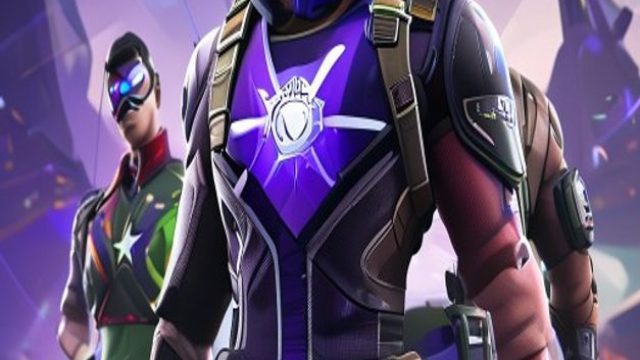
If you're a fan of multiplayer and esports games, you know Fortnite continues to set the standard for engaging gameplay and thrilling collaborations. The latest buzz around Fortnite is the much-anticipated return of the Marvel Battle Pass. This guide will walk you through everything you need to know about downloading Fortnite, especially if you're eager to experience this exciting content. Let’s dive into the details so you can be part of the action!
Overview of Fortnite
Fortnite, developed by Epic Games, is an online multiplayer game that has taken the world by storm with its unique blend of building mechanics, vibrant graphics, and regular content updates. Players can engage in battle royale matches or explore creative modes. With collaborations like the Marvel Battle Pass, Fortnite manages to keep its community engaged and excited about new adventures.
The return of the Marvel Battle Pass offers players an immersive experience, with iconic characters, thrilling missions, and exclusive rewards that enhance gameplay. Whether you're a seasoned player or new to the world of Fortnite, this is a perfect time to jump in.
Platform Availability
Fortnite is widely accessible across several platforms, ensuring that players can join the fun regardless of their gaming preference. Here’s where you can find Fortnite available for download:
- PC: Download from the Epic Games Store.
- PlayStation: Available on the PlayStation Store.
- Xbox: Download from the Xbox Store.
- Nintendo Switch: Find it on the Nintendo eShop.
- Mobile: Available on Google Play and Apple App Store.
System Requirements
To enjoy Fortnite with optimal performance, it’s important to meet the system requirements specified by Epic Games. Here’s a breakdown based on platform:
PC Requirements
- Minimum:
- Operating System: Windows 7/8/10 or Mac OSX Sierra
- Processor: Core i3-3225 3.3 GHz or equivalent
- Memory: 4 GB RAM
- Graphics: Intel HD 4000 on PC or Intel Iris Pro 5200
- DirectX: Version 11
- Recommended:
- Operating System: Windows 7/8/10 64-bit or Mac OSX Mojave
- Processor: Core i5-7300U 3.5 GHz or equivalent
- Memory: 8 GB RAM
- Graphics: NVIDIA GTX 960, AMD R9 280, or equivalent DX11 GPU
- DirectX: Version 11
Console Requirements
For console players, ensure you have a stable internet connection and sufficient storage space to download updates and the game itself. Compatibility is generally straightforward across platforms.
How to Download Fortnite
Ready to jump into the action? Here’s a step-by-step guide to download Fortnite based on your platform:
On PC
- Visit the Epic Games Store.
- Click on the “Download” button to install the Epic Games Launcher.
- Once installed, open the launcher and create or log into your Epic Games account.
- Search for Fortnite in the store and click “Install.”
- Wait for the download to finish, then launch the game!
On PlayStation
- Open the PlayStation Store.
- Search for Fortnite and select the game.
- Click “Download” and wait for it to install to your console.
- Once installed, you can play directly from your library.
On Xbox
- Navigate to the Xbox Store.
- Search for Fortnite and select it.
- Click “Get it now” to download the game.
- After installation, it will be available in your library.
On Nintendo Switch
- Open the Nintendo eShop.
- Search for Fortnite and select the game.
- Click “Download” and wait for it to install.
- Launch it from your console’s menu once installed.
On Mobile
- For Android, visit Google Play and search for Fortnite.
- On iOS, navigate to the Apple App Store.
- Tap “Download” and wait for the installation to complete.
- Open the app and log into your Epic Games account to start playing.
Conclusion
The excitement surrounding the return of the Marvel Battle Pass in Fortnite is a significant event for both newcomers and seasoned players. With its widespread availability and engaging gameplay, now is the perfect time to download Fortnite and experience this incredible collaboration. Follow the steps outlined in this guide, and you’ll be ready to dive into the action. Join the community, take on challenges, and enjoy one of the best multiplayer games available today!