
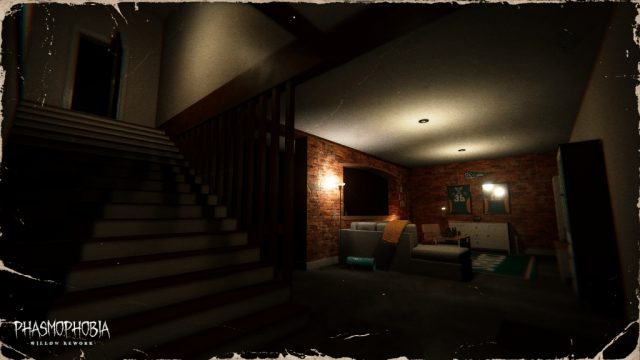
Phasmophobia, the co-op horror phenomenon developed by Kinetic Games, has taken the gaming world by storm. With its 1.0 update bringing spine-chilling enhancements, now is the perfect moment to dive into this thrilling experience. Whether you're a horror aficionado or a casual gamer looking for a good scare, this guide will walk you through everything you need to know about downloading and installing Phasmophobia.
Overview of Phasmophobia
Phasmophobia is a multiplayer psychological horror game that allows players to team up as ghost hunters. Using various tools to gather evidence of paranormal activity, you and your team must uncover the mysteries of haunted locations. The game’s realistic graphics and immersive sound design create an atmosphere that is both eerie and exhilarating.
Why Phasmophobia Matters Now
The 1.0 update is particularly notable as it introduces significant changes, including new maps, updated gameplay mechanics, and enhanced AI that ensures each encounter feels fresh and terrifying. These updates not only improve the overall experience but also draw in both veteran players and newcomers to the horror genre.
Platform Availability
Phasmophobia is available on the following platforms:
- PC: Available on Steam, the primary platform for downloading and playing the game.
- VR Support: Compatible with VR headsets, providing an even more immersive horror experience.
As of now, there are no official announcements regarding Phasmophobia's release on consoles, but players can enjoy it on PC with ease.
System Requirements
Before downloading Phasmophobia, ensure your PC meets the following minimum requirements:
- OS: Windows 10
- Processor: Intel Core i3 or equivalent
- Memory: 8 GB RAM
- Graphics: NVIDIA GTX 970 or equivalent
- DirectX: Version 11
- Network: Broadband Internet connection
- Storage: At least 20 GB available space
It's always a good idea to check the official Steam page for the latest updates on system requirements.
How to Download Phasmophobia
Downloading Phasmophobia is a straightforward process. Follow these steps to get started:
- Visit Steam: Go to the Phasmophobia Steam page.
- Create a Steam Account: If you don’t have a Steam account, you’ll need to create one. Simply click on the “Join Steam” button and follow the prompts.
- Purchase the Game: Once logged in, click the “Add to Cart” button and proceed to checkout. Currently, Phasmophobia is available for purchase at an affordable price.
- Download: After completing your purchase, the game will appear in your library. Click on Phasmophobia and select “Install.” The game will begin downloading to your PC.
- Launch the Game: Once the installation is complete, you can launch Phasmophobia directly from your Steam library.
Make sure to have a stable internet connection during the download to avoid any interruptions.
Tips for Enjoying Phasmophobia
Here are a few tips to enhance your gaming experience:
- Play with Friends: The game is designed for co-op play. Grab your friends for a more enjoyable experience.
- Use Headphones: Immersive audio is key in horror games. Invest in a good pair of headphones to catch every spooky detail.
- Communicate: Use voice chat to coordinate with your team effectively. Communication can make the difference between surviving and becoming a ghost yourself!
- Explore Thoroughly: Take your time to explore each map and familiarize yourself with the tools at your disposal.
Conclusion
Phasmophobia's 1.0 update offers an unforgettable horror experience that is perfect for both seasoned players and newcomers. Now is the ideal time to download the game and join in the thrilling ghost hunting adventures. Follow the steps outlined in this guide, gear up with your friends, and prepare for a haunting experience that will keep you on the edge of your seat!