
Key Takeaways
- Ubisoft offers free PC access to select games for Xbox owners.
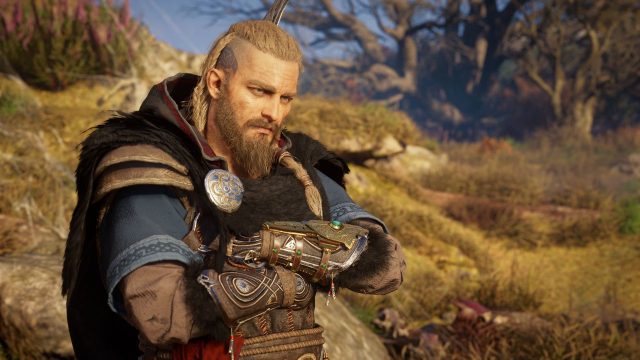
- Games include popular titles like Assassin's Creed Valhalla and Far Cry 6.
- Simply sign in to your Ubisoft account to link your Xbox account.
- This offer is particularly beneficial for gamers in Southeast Asia.
- Check Steam and Ubisoft Connect for the latest downloads.
Overview
Ubisoft has recently introduced an exciting opportunity for gamers who own Xbox versions of their titles. Through a special program, gamers can now access certain Ubisoft games for free on PC. This initiative is part of their strategy to enhance cross-platform gaming experiences and give players more value for their investment. With several high-profile titles included, this is a fantastic chance to broaden your gaming library.
Platform Availability
The Ubisoft games eligible for this free upgrade are available across various platforms, particularly PC. You can download them via popular gaming platforms such as:
This program primarily targets players in regions where Xbox and PC gaming are popular, including Southeast Asia and Indonesia.
System Requirements
Before you dive into downloading these exciting titles, it’s essential to ensure your PC meets the minimum system requirements. Here are the typical specs required for many Ubisoft games:
- OS: Windows 10 (64-bit)
- Processor: Intel Core i5-2400 / AMD FX-6300
- Memory: 8 GB RAM
- Graphics: NVIDIA GeForce GTX 660 / AMD Radeon HD 7870
- DirectX: Version 11
- Storage: 50 GB available space
These requirements can vary based on the game title, so it’s advisable to check the specific requirements for each game before downloading.
How to Download
To get started with downloading your Ubisoft games for free on PC, follow these steps:
- Link Your Accounts: Start by linking your Xbox account to your Ubisoft account. This can be done through the Ubisoft website or the Ubisoft Connect application.
- Check Eligibility: After linking your accounts, verify which games you own on Xbox are eligible for the free PC download.
- Download Your Game: Navigate to the Ubisoft Connect or your preferred gaming platform, find the eligible game, and click on the download option.
- Install and Play: Once the download is complete, install the game and jump into your adventure!
This seamless process allows gamers to switch between Xbox and PC easily, expanding their playable game library significantly.
Conclusion
This initiative by Ubisoft is a significant step towards making gaming more interconnected and versatile for players. By allowing Xbox owners to access their games on PC for free, Ubisoft is not only enhancing user experience but also catering to the growing demand for cross-platform gameplay. Make sure to take advantage of this offer while it lasts and enjoy your favorite titles in a new light!