
Key Takeaways
- Available on PC, PlayStation, and Xbox platforms.
- Minimum system requirements for smooth gameplay.
- Official downloads can be found on Steam and consoles.
- Peer-to-peer hosting for enhanced gaming performance.
- Join the growing esports community around Splitgate.
Overview
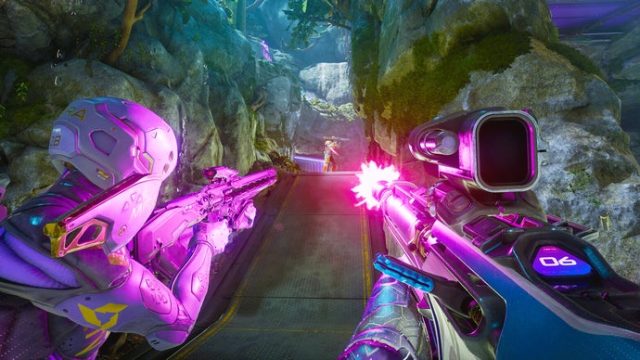
Splitgate: Arena Reloaded stands out as a unique combination of fast-paced first-person shooting and portal mechanics. Developed by 1047 Games, this title has captured the attention of gamers across the globe, especially in regions like Southeast Asia, Indonesia, and the broader ASEAN markets. With its compelling gameplay and competitive mechanics, it's no surprise that many are eager to dive into this multiplayer experience.
Platform Availability
Splitgate is designed to be accessible across various gaming platforms:
- PC: Available via Steam and the Epic Games Store.
- Consoles: PlayStation 4, PlayStation 5, Xbox One, and Xbox Series X/S support the game.
- Cross-Platform: Engage with friends regardless of their gaming device.
System Requirements
To ensure optimal performance while playing Splitgate, your system should meet or exceed the following specifications:
Minimum Requirements
- OS: Windows 10 (64-bit)
- Processor: Intel Core i3 or AMD equivalent
- Memory: 8 GB RAM
- Graphics: NVIDIA GeForce GTX 660 or AMD equivalent
- DirectX: Version 11
- Network: Broadband Internet connection
Recommended Requirements
- OS: Windows 10 (64-bit)
- Processor: Intel Core i5 or AMD equivalent
- Memory: 16 GB RAM
- Graphics: NVIDIA GeForce GTX 970 or AMD equivalent
- DirectX: Version 11
- Network: Broadband Internet connection
How to Download
Ready to jump into the action? Follow these simple steps to download Splitgate: Arena Reloaded on your preferred platform:
For PC Users
1. Open the Steam client on your computer or download it from the official Steam website.
2. Create an account or log in if you already have one.
3. Use the search bar to locate “Splitgate: Arena Reloaded”.
4. Click the download button and follow the on-screen prompts to install the game.
For Console Users
PlayStation:
- Access the PlayStation Store from your console dashboard.
- Search for “Splitgate: Arena Reloaded”.
- Purchase/download the game and follow installation instructions.
Xbox:
- Open the Microsoft Store on your Xbox.
- Search for “Splitgate: Arena Reloaded”.
- Download the game and wait for it to install.
Conclusion
Splitgate: Arena Reloaded provides a unique gaming experience that combines elements of traditional shooting mechanics with innovative portal gameplay. Whether you are a seasoned gamer or new to the scene, downloading this game will connect you to a vibrant multiplayer community, especially in regions like Southeast Asia and Indonesia. Don't miss out on the fun; download Splitgate today and join the competition!