
Key Takeaways
- Grim Dawn is a decade-old action RPG known for its depth.
- The Fangs of Asterkarn expansion introduces new gameplay features.
- Available on multiple platforms including Steam and GOG.
- System requirements are manageable for most gaming PCs.
- Installing the game is straightforward with these detailed steps.
Overview of Grim Dawn
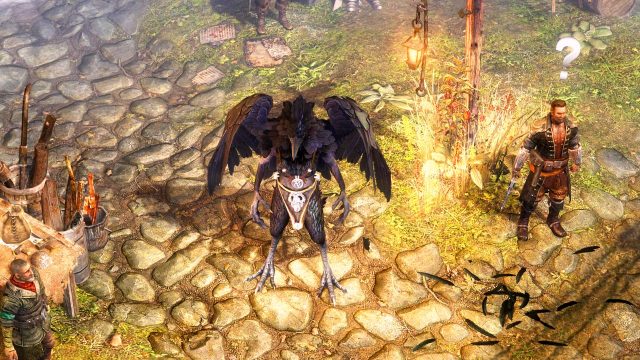
Grim Dawn, developed by Crate Entertainment, is an acclaimed action RPG that has captivated players since its release in 2016. Set in a dark and gritty world, the game offers a rich narrative combined with intricate gameplay mechanics. The recent Fangs of Asterkarn expansion provides fresh content, including new classes, quests, and gameplay enhancements, ensuring that both new and returning players find something exciting.
Platform Availability
Grim Dawn is accessible on various platforms, catering to a wide audience of gamers:
- Steam: The primary distribution platform for PC gamers.
- GOG: Offers a DRM-free version of the game.
- Epic Games Store: Sometimes features exclusive deals.
In Southeast Asia, including countries like Indonesia, players can find Grim Dawn on these platforms, making it easily downloadable across the region.
System Requirements
Before downloading Grim Dawn, ensure your system meets the following requirements:
Minimum Requirements
- OS: Windows 7 (64-bit)
- Processor: Dual-core from Intel or AMD at 2.0 GHz
- Memory: 4 GB RAM
- Graphics: NVIDIA GeForce 650 or AMD Radeon HD 7770
- DirectX: Version 9.0c
- Storage: 10 GB available space
Recommended Requirements
- OS: Windows 10 (64-bit)
- Processor: Dual-core from Intel or AMD at 2.5 GHz
- Memory: 8 GB RAM
- Graphics: NVIDIA GeForce GTX 760 or AMD Radeon HD 8800
- DirectX: Version 9.0c
- Storage: 10 GB available space
These requirements ensure an optimal gaming experience without significant performance issues.
How to Download Grim Dawn
Downloading Grim Dawn is a quick and simple process. Follow these steps to get started:
On Steam
- Open the Steam client or visit the Steam store in your web browser.
- Search for Grim Dawn using the search bar.
- Select the game from the search results and navigate to its store page.
- Click the Add to Cart button, then proceed to checkout.
- Once purchased, the game will be added to your library.
- Click on Library, find Grim Dawn, and click Install.
- Follow the prompts to complete the installation.
On GOG
- Visit the GOG website.
- Search for Grim Dawn and click on its title.
- Select the Buy Now option to purchase the game.
- After completing the purchase, you can access your library and download the game.
- Run the installer and follow the instructions to install the game.
Conclusion
Grim Dawn remains a standout title in the action RPG genre, especially with its latest expansion, Fangs of Asterkarn. Whether you're a returning player or new to the game, the updated content promises a thrilling experience. With straightforward download steps through Steam or GOG, diving into this dark and immersive world has never been easier.