
Key Takeaways
- Rust is a multiplayer survival game focused on resource gathering and combat.
- Available on PC, PlayStation, and Xbox platforms.
- System requirements vary based on your operating system.
- New DLC and updates enhance the gaming experience.
- Download Rust from official stores for a secure installation.
Overview of Rust
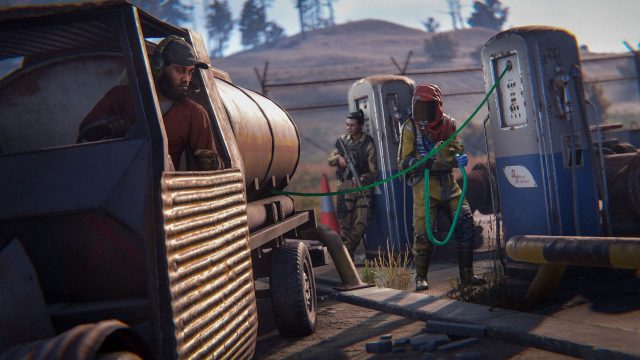
Rust has taken the gaming world by storm since its initial release. Developed by Facepunch Studios, this online multiplayer game invites players to dive into a harsh survival environment, where every decision can mean the difference between life and death. Players gather resources, build shelters, hunt for food, and engage in combat with others. The recent updates, including the Bar Games and Stone Sculpture DLC, add new layers of gameplay, enticing both new and returning players to explore the expansive world of Rust.
Platform Availability
Rust is accessible on several platforms, making it easy for gamers to join the action no matter the device they prefer:
- PC: Available on Steam.
- PlayStation: Downloadable via the PlayStation Store.
- Xbox: Available on the Xbox Store.
For players in Southeast Asia, particularly in Indonesia, accessing these platforms is straightforward, with localized options available.
System Requirements
Before downloading Rust, ensure your system meets the following minimum requirements. This is crucial for a smooth gaming experience:
Minimum Requirements for PC
- OS: Windows 10 64-bit
- Processor: Intel Core i5-2300 / AMD FX-6300
- Memory: 8 GB RAM
- Graphics: NVIDIA GeForce 8800 Series / AMD Radeon HD 3830 Series
- DirectX: Version 11
- Network: Broadband Internet connection
- Storage: 20 GB available space
Recommended Requirements for PC
- OS: Windows 10 64-bit
- Processor: Intel Core i7-3770 / AMD Ryzen 5 1600
- Memory: 16 GB RAM
- Graphics: NVIDIA GeForce 670 / AMD Radeon HD 7870
- DirectX: Version 11
- Network: Broadband Internet connection
- Storage: 20 GB available space
How to Download Rust
Ready to jump into the world of Rust? Follow these steps to download the game:
For PC (Steam)
- Go to the Steam Store.
- Search for "Rust" in the search bar.
- Select the game and click on the "Add to Cart" button.
- Complete the purchase process and confirm your payment method.
- Once purchased, click "Install" to begin downloading the game.
For PlayStation
- Open the PlayStation Store on your console or browser.
- Search for "Rust" and select it from the results.
- Click on "Buy Now" and complete the transaction.
- The game will begin downloading after purchase has been confirmed.
For Xbox
- Access the Xbox Store.
- Look for "Rust" using the search feature.
- Select the game and choose "Buy" to proceed with the payment.
- After purchase, the installation will start automatically.
Conclusion
Rust continues to evolve with exciting updates and DLCs, ensuring players always have fresh content to explore. Whether you're a seasoned player or just starting your adventure, downloading and installing Rust is simple across all platforms. Join the survival frenzy today and experience the challenges and triumphs that Rust offers.