
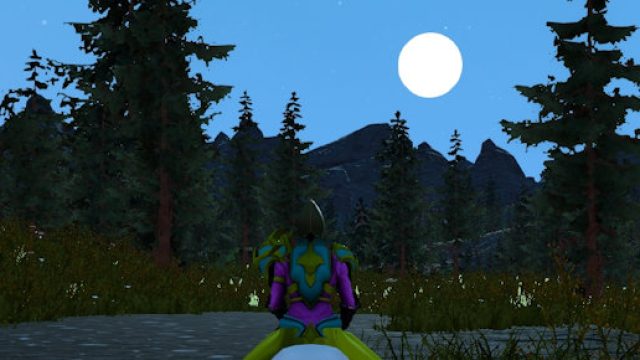
In the ever-evolving landscape of online multiplayer games and esports, Project Gorgon stands out with its unique blend of depth, creativity, and community engagement. With the recent updates introducing new skills and dungeons, now is the perfect time to jump in and explore this immersive world. In this guide, we'll walk you through everything you need to know about downloading Project Gorgon, including an overview of the game, platform availability, system requirements, and detailed installation steps.
Overview of Project Gorgon
Project Gorgon is a sandbox MMORPG that emphasizes player freedom and creativity. Developed by Elder Game, it offers a rich experience that allows players to explore, craft, and engage in combat.
- Engaging Gameplay: Dive into a world where you can choose your own path, whether it's mastering combat skills or creating intricate items.
- Dynamic Community: The game heavily focuses on community, encouraging players to collaborate on quests and share their adventures.
- Regular Updates: With frequent updates, such as the recent addition of the Statehelm dungeon and new skills, there's always something new to discover.
Platform Availability
Project Gorgon is available on multiple platforms, making it accessible to a wide audience. Currently, you can play it on:
- PC: Available directly from the official website and platforms like Steam.
- Mac: Those using macOS can also access the game through the official website or Steam.
As of now, there are no official announcements regarding console releases, so keep an eye on the official channels for future updates.
System Requirements
Before downloading Project Gorgon, ensure your system meets the necessary requirements to guarantee a smooth gaming experience.
Minimum Requirements
- OS: Windows 7 or higher
- Processor: Dual-core CPU 2.0 GHz
- Memory: 4 GB RAM
- Graphics: NVIDIA GeForce 760 or equivalent
- DirectX: Version 9.0c
- Network: Broadband Internet connection
- Storage: 5 GB available space
Recommended Requirements
- OS: Windows 10
- Processor: 4-core CPU
- Memory: 8 GB RAM
- Graphics: NVIDIA GeForce GTX 970 or equivalent
- DirectX: Version 10
- Network: Broadband Internet connection
- Storage: SSD with 5 GB available space
How to Download Project Gorgon
Ready to embark on your adventure? Here’s how to download Project Gorgon step-by-step:
Step 1: Visit the Official Site or Steam
To get started, you can either visit the official Project Gorgon website or go to the Steam page.
Step 2: Create an Account
If you choose to download the game from the official site, you’ll need to create an account. This step is essential as it allows you to connect with other players and track your progress.
Step 3: Download the Game Client
After creating your account, you can download the game client directly from the website. If you're using Steam, simply click on the 'Install' button on the game's store page to add it to your library.
Step 4: Install the Game
Follow the on-screen instructions to install the game on your computer. Make sure to choose the installation directory and allow any necessary permissions.
Step 5: Launch and Play
Once the installation is complete, launch the game from your desktop or Steam library. Log in with your account credentials, and you’re ready to explore the vast world of Project Gorgon!
Conclusion
Project Gorgon offers a refreshing take on MMORPGs with its community-driven gameplay and frequent updates. Whether you're a seasoned gamer or new to the genre, now is the ideal time to dive into this captivating universe. By following this guide, you'll be well on your way to downloading and enjoying the latest content, including the exciting Statehelm dungeon and new skills. Don't miss out on your chance to be part of this vibrant gaming community — download Project Gorgon today!