
Key Takeaways
- RuneScape is a classic MMORPG with millions of players worldwide.
- Available on PC, mobile, and consoles for maximum accessibility.
- System requirements vary based on the platform you choose.
- Installation steps are straightforward, allowing quick access to gameplay.
- Join a vibrant gaming community and explore the vast world of Gielinor.
Overview of RuneScape
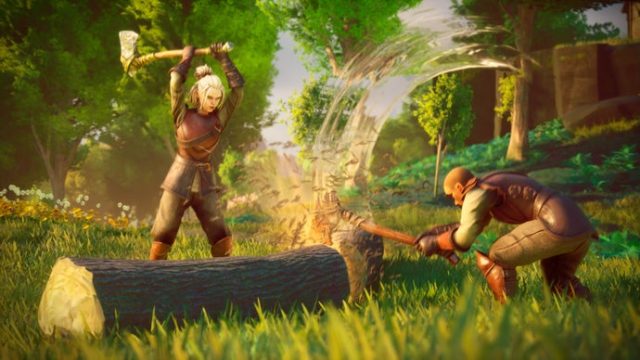
RuneScape, developed by Jagex, stands as one of the longest-running and most beloved MMORPGs in the gaming world. Since its launch in 2001, it has continually evolved, offering a rich blend of adventure, exploration, and social interaction. Players can engage in quests, combat, and various skill-building activities in the expansive fantasy realm of Gielinor.
Platform Availability
RuneScape is available on multiple platforms, making it easy for players to access the game from virtually anywhere. Here’s where you can find it:
- PC: Download via Runescape's official website or through the Steam platform.
- Mobile: Get it on Android through the Google Play Store and on iOS via the Apple App Store.
- Console: Check upcoming features for potential console versions as Jagex explores more platforms.
System Requirements
To enjoy RuneScape to its fullest, ensure your device meets the following minimum system requirements:
For PC
- OS: Windows 7 or higher, macOS Mojave or later
- Processor: 2.0 GHz Dual-core processor or equivalent
- RAM: 4 GB
- Graphics: NVIDIA GeForce 8800 series or ATI Radeon HD 5000 series
- Internet: Broadband connection required
For Mobile
- OS: Android 5.0 (Lollipop) or later, iOS 11.0 or later
- RAM: 3 GB or more recommended
- Storage: Approximately 1.5 GB of free space required
How to Download RuneScape
Getting started with RuneScape is easy! Follow these simple steps to download and install the game:
Downloading on PC
- Visit the official RuneScape website.
- Click on the download link for the client.
- Run the installer once the download completes.
- Follow the on-screen instructions to install the game.
- Launch RuneScape and log into your account or create a new one.
Downloading on Mobile
- Open the Google Play Store for Android users or the Apple App Store for iOS users.
- Search for “RuneScape” in the search bar.
- Select the official RuneScape app and tap on the install button.
- Once the installation is finished, open the app.
- Log in with your account or register for a new one to start your adventure.
Why Now Is the Perfect Time to Play RuneScape
With ongoing updates and a robust community, there's never been a better time to jump into RuneScape. The game consistently introduces new features, quests, and events that keep the gameplay fresh and engaging. Additionally, the historical significance of RuneScape in the gaming industry adds to its allure, making it an exciting choice for both new players and veterans alike.
Conclusion
RuneScape offers an immersive experience that combines tactical gameplay with rich storytelling, appealing to a wide range of players. The accessibility across various platforms, combined with regular updates, ensures that the game remains relevant in the ever-evolving world of online gaming. Set forth on your adventure in Gielinor today and discover the vast possibilities that await!