
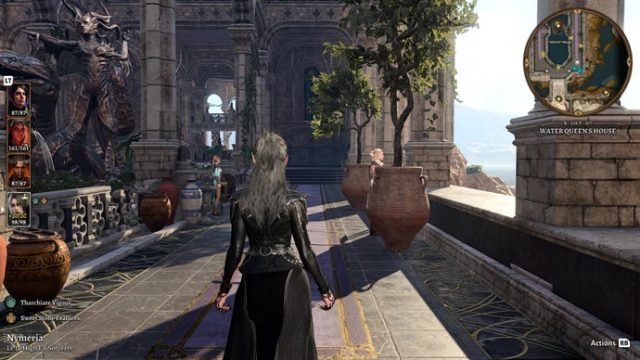
Overview of Baldur's Gate 3
Baldur's Gate 3, developed by Larian Studios, brings players back to the classic Dungeons & Dragons universe with stunning visuals and immersive storytelling. As a sequel to the beloved Baldur's Gate series, it features a richly detailed world where players can create characters, engage in strategic combat, and make impactful choices that shape their journey. With its recent full release, now is the perfect time to dive into this captivating RPG.
Platform Availability
Baldur's Gate 3 is available on multiple platforms, ensuring that gamers from various backgrounds can join in on the adventure:
- PC: Available on Steam and GOG.
- PlayStation 5: Downloadable from the PlayStation Store.
- Xbox Series X/S: Available on the Xbox Store (release expected soon).
System Requirements
Before you begin the download process, ensure your system meets the game’s requirements for optimal performance:
Minimum Requirements
- OS: Windows 10 (64-bit)
- Processor: Intel Core i5-4690 / AMD FX 8350
- Memory: 8 GB RAM
- Graphics: NVIDIA GeForce GTX 780 / AMD Radeon R9 280
- DirectX: Version 11
- Storage: 150 GB available space
Recommended Requirements
- OS: Windows 10 (64-bit)
- Processor: Intel Core i7-4770 / AMD Ryzen 5 1500X
- Memory: 16 GB RAM
- Graphics: NVIDIA GeForce GTX 1060 / AMD Radeon RX 580
- DirectX: Version 11
- Storage: 150 GB available space
How to Download
Downloading Baldur's Gate 3 is straightforward. Follow these steps based on your preferred platform:
For PC (Steam or GOG)
Visit the Steam Store or GOG website.
Create an account or log in if you already have one.
Add Baldur's Gate 3 to your cart and purchase it.
Once purchased, go to your library and click on the game to download it.
Follow the on-screen instructions to install the game.
For PlayStation 5
Open the PlayStation Store on your console.
Search for Baldur's Gate 3.
Purchase and download the game directly to your console.
For Xbox Series X/S
Access the Xbox Store on your console.
Look for Baldur's Gate 3.
Download and install once purchased.
Conclusion
Baldur's Gate 3 offers an immersive RPG experience that fans of the genre shouldn't miss. With its availability on multiple platforms and engaging gameplay, now is the ideal time to embark on this adventure. Follow the outlined steps to download and start your journey today!
Key Takeaways
- Baldur's Gate 3 is available on PC, PS5, and Xbox Series X/S.
- Minimum system requirements include Windows 10 and 8 GB RAM.
- Download from official stores like Steam and PlayStation Store.
- Prepare for 150 GB of storage space needed for installation.
Frequently Asked Questions
What platforms can I download Baldur's Gate 3 on?
You can download Baldur's Gate 3 on PC (Steam, GOG), PlayStation 5, and soon on Xbox Series X/S.
What are the system requirements for Baldur's Gate 3?
The game requires Windows 10, 8 GB RAM minimum, and 150 GB of storage space.
How can I purchase Baldur's Gate 3 on Steam?
Visit the Steam Store, search for Baldur's Gate 3, and follow the purchase instructions.
Is there a dedicated version for PlayStation 5?
Yes, Baldur's Gate 3 is available on the PlayStation Store for PS5 users.
When will Baldur's Gate 3 be available on Xbox?
The release for Xbox Series X/S is expected soon, though no exact date has been announced yet.