
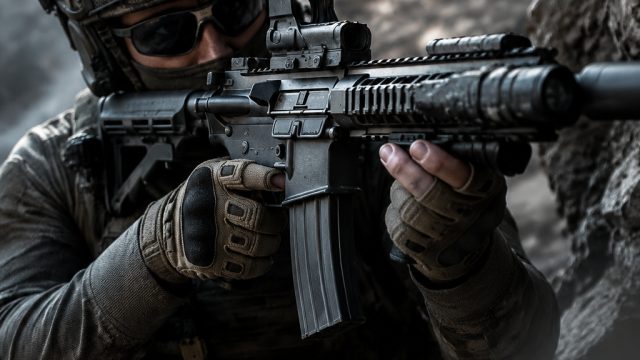
If you're a fan of fast-paced action and strategic gameplay, tactical shooters are some of the most thrilling games to dive into. With the rise of online multiplayer and esports, these games not only offer intense competition but also a vibrant community of players. This guide will walk you through the process of downloading some of the best tactical shooters available today, along with their system requirements and installation steps. Now is the perfect time to jump on board and join the action!
Overview of Tactical Shooters
Tactical shooters combine realistic weapons, strategic gameplay, and team-based mechanics, making them incredibly engaging. With titles ranging from Counter-Strike: Global Offensive to Rainbow Six Siege, these games demand teamwork, quick thinking, and precise aim. Players often engage in various modes, including competitive matches and casual play, enhancing the overall gaming experience.
Platform Availability
Most modern tactical shooters are available on a variety of platforms. Here’s where you can find them:
- PC: Games are available on platforms like Steam, Epic Games Store, and GOG.
- Consoles: Many tactical shooters are also playable on consoles such as the PlayStation and Xbox, accessible through their respective stores - PlayStation Store and Xbox Store.
- Mobile: A selection of tactical games can be played on mobile devices, available in the Google Play Store for Android and Apple App Store for iOS.
System Requirements
Before downloading a tactical shooter, it's crucial to ensure your system meets the game's requirements. Here's a general overview of what you might need to run these games smoothly:
Minimum Requirements
- OS: Windows 10 (64-bit) or equivalent
- Processor: Dual-core CPU 2.0 GHz
- Memory: 4 GB RAM
- Graphics: NVIDIA GeForce GTX 660 or AMD Radeon HD 7870
- DirectX: Version 11
- Network: Broadband Internet connection
- Storage: At least 15 GB of available space
Recommended Requirements
- OS: Windows 10 (64-bit) or equivalent
- Processor: Quad-core CPU 3.0 GHz
- Memory: 8 GB RAM
- Graphics: NVIDIA GeForce GTX 970 or AMD Radeon R9 390
- DirectX: Version 11
- Network: Broadband Internet connection
- Storage: At least 15 GB of available space
How to Download
Downloading your favorite tactical shooter is a straightforward process. Follow these steps to get started:
For PC Users
- Visit the platform of your choice (Steam, Epic Games Store, or GOG).
- Create an account or log in if you already have one.
- Search for the tactical shooter you wish to play.
- Click on the game title, then select “Download” or “Add to Library.”
- Once added, go to your library, find the game, and click “Install.”
For Console Users
- Turn on your console and navigate to the respective store.
- Search for the tactical shooter title.
- Select the game and click “Purchase” or “Get.”
- Once purchased, it will begin downloading automatically, or you can find it in your library.
For Mobile Users
- Open the Google Play Store or Apple App Store on your device.
- Search for the tactical shooter you want to download.
- Select the game then tap “Install.”
- After installation is complete, you can find the game on your home screen.
Why Download Tactical Shooters Now?
With the surge in popularity of online gaming, now is the ideal moment to download tactical shooters. These games not only offer an exhilarating multiplayer experience but also allow you to connect with a global community. Whether you're looking to compete in high-stakes esports tournaments or just enjoy casual games with friends, tactical shooters provide endless entertainment. As esports continue to grow, joining the ranks of skilled players in these tactical battlegrounds could pave the way for exciting opportunities.
Conclusion
Downloading tactical shooters is a gateway to thrilling gaming experiences filled with strategy, teamwork, and competition. With a range of platforms available, it's easier than ever to jump into the action. Ensure your system meets the requirements, follow the simple download steps, and you will be ready to play in no time. Embrace the excitement and make your mark in the competitive world of tactical shooters today!