
Key Takeaways
- GTA IV Multiplayer offers chaotic online gameplay.
- Available on PC, Xbox 360, and PlayStation 3.
- Minimum system requirements include Windows XP or later.
- Visit Steam or the official Rockstar website for download.
- Multiplayer mode enhances the immersive experience of Liberty City.
Overview of Grand Theft Auto IV Multiplayer
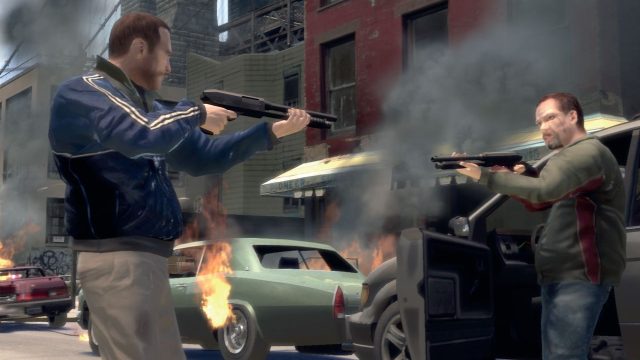
Grand Theft Auto IV (GTA IV) Multiplayer adds a new dimension to the thrilling open-world experience of Liberty City. Since its launch, this game mode has captivated players with its chaotic gameplay and diverse activities. Whether you’re racing through the streets, engaging in criminal activities, or simply exploring, the multiplayer mode transforms the game into a dynamic playground.
As the gaming landscape evolves, GTA IV Multiplayer remains a beloved choice among fans seeking nostalgia and excitement. This guide will provide you with everything you need to know to get started and join the action!
Platform Availability
GTA IV Multiplayer is available across various platforms, ensuring that players can enjoy the game regardless of their preferred gaming environment. Here’s where you can find it:
- PC: Downloadable through Steam or the official Rockstar Games website.
- Xbox 360: Available via the Xbox Store.
- PlayStation 3: Can be accessed through the PlayStation Store.
System Requirements
Before you dive into the world of GTA IV Multiplayer, it’s essential to ensure your system meets the minimum requirements. Below are the specifications needed to run the game smoothly:
Minimum Requirements for PC
- OS: Microsoft Windows XP (Service Pack 3) or later
- Processor: 2.4 GHz dual-core processor
- Memory: 1.5 GB RAM
- Graphics: 256 MB video card with Shader Model 3.0
- DirectX: Version 9.0
- Storage: 16 GB free disk space
Recommended Requirements for PC
- OS: Microsoft Windows Vista or later
- Processor: 2.8 GHz dual-core processor
- Memory: 2 GB RAM
- Graphics: 512 MB video card with Shader Model 4.0
- DirectX: Version 9.0
- Storage: 18 GB free disk space
Make sure your console meets the latest updates for the best gaming experience.
How to Download GTA IV Multiplayer
Getting started with GTA IV Multiplayer is straightforward. Follow these steps according to your platform:
For PC via Steam
- Visit the Steam store and create an account if you don't have one.
- Search for "Grand Theft Auto IV" and select the game.
- Add the game to your cart and proceed to checkout.
- Once purchased, the game will begin downloading automatically.
- After installation, launch the game and navigate to the multiplayer mode.
For Xbox 360
- Open the Xbox Store from your console.
- Search for "Grand Theft Auto IV" in the store.
- Select the game and proceed with the purchase.
- Once downloaded, you can start the game and access multiplayer.
For PlayStation 3
- Navigate to the PlayStation Store on your console.
- Search for "Grand Theft Auto IV".
- Purchase the game from the store.
- Download it, then launch to access its multiplayer features.
Conclusion
Grand Theft Auto IV Multiplayer remains a timeless choice for gamers looking for a blend of chaos and community. With its thriving online environment and captivating storyline, it continues to attract players from around the globe. By following this guide, you can easily download and install the game on your preferred platform. Join the action in Liberty City today!