
Your Essential Guide to Downloading Warframe Today
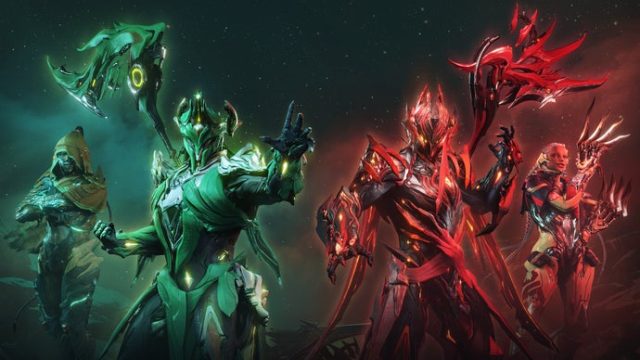
Warframe, the thrilling free-to-play cooperative shooter from Digital Extremes, continues to captivate gamers worldwide with its dynamic gameplay and rich storytelling. Set in an expansive sci-fi universe, players assume the role of Tenno, warriors who have awakened from centuries of cryosleep to fight various factions threatening the galaxy. With a robust array of customizable Warframes and a plethora of weapons, it’s easy to see why this title remains popular among online multiplayer and esports enthusiasts.
Why Download Warframe Now?
With recent updates, including new quests, expanded lore, and refined gameplay mechanics, there has never been a better time to dive into Warframe. The game not only offers engaging content but also an active community that continues to grow. Whether you’re a seasoned player or new to the franchise, the updated features enhance the overall experience and ensure you remain invested in the ongoing narrative.
Download
If you're ready to join the ranks of the Tenno, follow this guide to download Warframe on your preferred platform.
Platform Availability
Warframe is accessible on a variety of platforms, giving you the freedom to choose where you want to play. Here’s a quick overview of where you can find the game:
- PC: Available on Steam and Warframe's official website.
- PlayStation: Download from the PlayStation Store.
- Xbox: Available on the Xbox Store.
- Nintendo Switch: Get it from the Nintendo eShop.
System Requirements
Before downloading, ensure your system meets the following minimum requirements:
- PC:
- OS: Windows 7 (64-bit) or newer
- Processor: Dual-core from Intel or AMD at 2.0 GHz
- Memory: 4 GB RAM
- Graphics: DirectX 10+ compatible GPU with 1 GB VRAM
- DirectX: Version 10
- Network: Broadband Internet connection
- Storage: 35 GB free disk space
For those playing on consoles, ensure your system is updated and connected to the internet to facilitate smooth installation and gameplay.
How to Download Warframe
Follow these simple steps for a hassle-free download experience:
- For PC:
- Visit the Steam page.
- If you don't have Steam, download and install it from the official site.
- Search for Warframe in the Steam store.
- Click the 'Play Game' button to start the download.
- Once downloaded, launch Warframe from your Steam library.
- For PlayStation:
- Access the PlayStation Store.
- Search for Warframe in the store.
- Select 'Download' to start the installation.
- For Xbox:
- Open the Xbox Store.
- Search for Warframe.
- Choose 'Download' to begin installation.
- For Nintendo Switch:
- Visit the Nintendo eShop.
- Search for Warframe.
- Click 'Download' to start playing on your Switch.
Final Thoughts
Warframe offers a unique and immersive gaming experience packed with outstanding graphics, compelling storylines, and continuous updates. Whether you enjoy cooperative missions or solo gameplay, you can find something that suits your style. Don’t miss out on the chance to join a vibrant community of gamers. Download Warframe today and embark on your journey as a Tenno!
For more guides and gaming content, visit hastelo.com and stay updated with the latest in the world of multiplayer games.