
Key Takeaways
- Old School RuneScape is available on PC, iOS, and Android.
- The game offers a nostalgic MMO experience for players.
- Minimum system requirements make it accessible to many players.
- Follow simple installation steps to start playing quickly.
- Frequent game updates enhance the gameplay experience.
Overview of Old School RuneScape
Old School RuneScape (OSRS) is a classic MMORPG that offers a unique blend of nostalgia and engaging gameplay. Originally launched in 2013, it is based on a 2007 version of the popular MMORPG RuneScape. With a dedicated fanbase and frequent updates, OSRS continues to attract new players and provide a rich gaming experience.
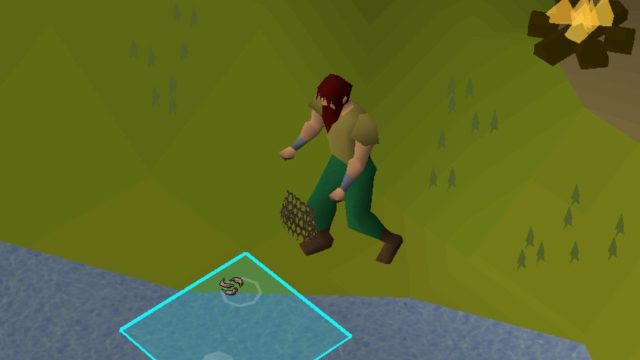
Set in the expansive world of Gielinor, players can explore diverse regions, complete quests, and interact with other players in real-time. The game emphasizes player choice and free will, which has led to some fascinating stories within the community. Recently, a player captured attention by dedicating over 4,300 hours to catching shrimp and anchovies, showcasing the depth of player engagement possible in this MMO.
Platform Availability
Old School RuneScape is accessible across multiple platforms:
- PC: Available via the official website and Steam.
- iOS: Download from the Apple App Store.
- Android: Download from the Google Play Store.
This multi-platform availability allows players to enjoy the game on their preferred devices, whether at home or on the go.
System Requirements
Understanding the system requirements is crucial for ensuring a smooth gameplay experience. Here are the minimum requirements for each platform:
PC Requirements
- OS: Windows 7 or higher
- Processor: 2 GHz processor
- RAM: 4 GB
- Graphics: Integrated GPU
- Storage: 1 GB free space
Mobile Requirements
- iOS: Requires iOS 10.0 or later.
- Android: Requires Android 5.0 (Lollipop) or higher.
These requirements are designed to ensure that players can run the game without performance issues, even on lower-end devices.
How to Download
Downloading Old School RuneScape is a straightforward process. Follow these steps based on your chosen platform:
For PC Users
- Visit the official Old School RuneScape download page.
- Choose the appropriate client (Java or Steam) based on your preference.
- Download the installer and run it.
- Follow the on-screen instructions to complete the installation.
For iOS Users
- Open the Apple App Store on your device.
- Search for "Old School RuneScape".
- Tap “Get” to download the app.
For Android Users
- Open the Google Play Store.
- Search for "Old School RuneScape".
- Tap “Install” and wait for the download to complete.
Conclusion
Old School RuneScape is more than just a game; it's a thriving community and a testament to the longevity of classic MMORPGs. With its availability on various platforms and user-friendly installation process, players of all backgrounds can jump into Gielinor and experience the adventure for themselves. Whether you're drawn by the nostalgia or the vibrant community, downloading OSRS is a gateway to countless adventures.
Frequently Asked Questions