
Unlocking the Joy of Retro Gaming: Download Your Own Game Emulator Today
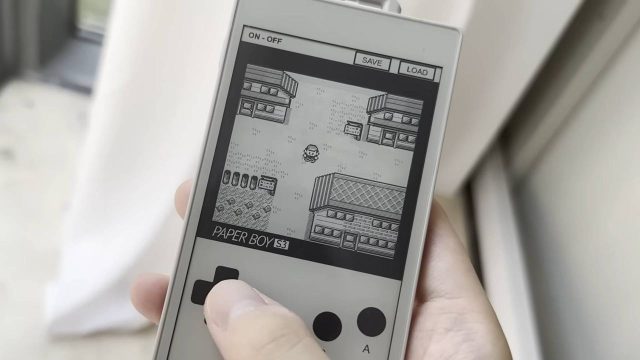
In a world where gaming technology is constantly advancing, the charm of classic games remains timeless. Whether you grew up playing Pokemon Blue on your Game Boy or are looking to explore the nostalgia of retro gaming for the first time, emulators allow you to enjoy these games on modern devices. Now is the perfect time to dive back into the world of retro gaming by downloading a Game Boy emulator. In this guide, we’ll walk you through everything you need to know—from what an emulator is to how to download and install one.
What is a Game Boy Emulator?
A Game Boy emulator is a software application that mimics the hardware of the original Game Boy console, allowing you to play classic titles on your computer or mobile device. These emulators can recreate the experience of using the physical console by providing the same graphics, sounds, and gameplay mechanics.
Why Download a Game Boy Emulator Now?
The resurgence of interest in retro gaming has led to a wealth of emulators being developed and improved. The current landscape of gaming technology has made it easier and more accessible for gamers to enjoy old classics. Furthermore, you can now find a variety of emulators that support different platforms and offer enhanced features such as:
- Improved Graphics: Some emulators allow you to upscale the graphics for a more visually appealing experience.
- Save States: Save your progress at any point in the game, making it easy to pick up where you left off.
- Custom Controls: Tailor your gaming experience by configuring controls to your liking.
Platform Availability
Game Boy emulators are widely available across multiple platforms. Here’s a quick overview of where you can find them:
- Windows: Popular emulators like VisualBoyAdvance-M and BGB are readily available for download.
- Mac: OpenEmu and VisualBoyAdvance are excellent options for Mac users.
- Android: Download emulators such as My Boy! or RetroArch from the Google Play Store.
- iOS: While options are more limited due to Apple’s restrictions, GBA4iOS is a well-known emulator that can be installed through alternative means.
System Requirements
The requirements to run a Game Boy emulator are relatively low, making them accessible to a wide range of devices. Here’s what you typically need:
- Windows: Windows 7 or later, minimum 2GB RAM, and a basic graphics card.
- Mac: macOS Sierra or later, 2GB RAM, and a compatible processor.
- Android: Android version 5.0 (Lollipop) or later, with at least 1GB RAM.
- iOS: iOS 10 or later is recommended for optimal performance.
How to Download
Ready to jump back into your favorite classics? Follow these steps to download and install your Game Boy emulator:
For Windows
- Visit the official website of the emulator you choose, such as VisualBoyAdvance-M.
- Locate the download link and select the version compatible with your Windows system.
- Run the installer once the download is complete and follow the on-screen instructions.
- After installation, download ROM files for your favorite Game Boy games from trusted sources.
For Mac
- Go to the OpenEmu website to download the emulator.
- Open the downloaded file and drag OpenEmu into your Applications folder.
- Launch OpenEmu, and you can easily import your ROM files.
For Android
- Open the Google Play Store on your device and search for "My Boy!" or "RetroArch".
- Select the desired emulator and tap on the Install button.
- Once installed, load your Game Boy ROM files to start playing.
For iOS
- Visit the GBA4iOS website or find it via a search engine.
- Follow the installation instructions provided on the site, which typically include enabling app installation from unknown sources.
- Download and install the app, then import your ROM files to enjoy your games.
Conclusion
With the availability of Game Boy emulators today, players can easily revisit their cherished titles no matter where they are. From improved graphics to customizable controls, the current emulators offer invaluable features that enhance the retro gaming experience. So why wait? Download your favorite Game Boy emulator now and step back into the pixelated worlds that defined your childhood. Explore the vast library of old school classics, and embrace the nostalgia that comes with each game. Happy gaming!