
Key Takeaways
- Darkest Dungeon is a renowned turn-based RPG.
- Available on PC, consoles, and mobile platforms.
- Complete DLC enhances gameplay experience.
- System requirements vary by platform.
- Follow easy installation steps for seamless access.
Overview
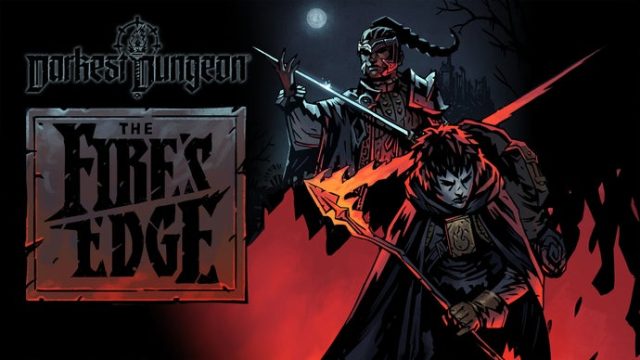
Darkest Dungeon is a critically acclaimed turn-based role-playing game developed by Red Hook Studios, known for its challenging gameplay and gothic art style. Originally launched in 2016, it has captivated players with its strategic combat, permadeath mechanics, and stress management system. With the recent announcement of its first DLC in six years, players are eager to dive back into the eerie world of Darkest Dungeon.
Platform Availability
Darkest Dungeon is available on a variety of platforms, making it accessible to a broader audience. Here’s where you can find it:
- PC: Available on Steam and Epic Games Store.
- Consoles: PlayStation 4, Xbox One, and Nintendo Switch.
- Mobile: Available on both Google Play and Apple App Store.
System Requirements
Before downloading Darkest Dungeon, check that your system meets the necessary requirements for optimal performance:
PC Minimum Requirements
- OS: Windows 7 or later
- Processor: Dual-Core 2.0 GHz
- Memory: 4 GB RAM
- Graphics: NVIDIA GeForce 8600/9600 or ATI/AMD Radeon HD2600/3600
- DirectX: Version 9.0c
- Storage: 4 GB available space
PC Recommended Requirements
- OS: Windows 10
- Processor: Dual-Core 2.5 GHz
- Memory: 8 GB RAM
- Graphics: NVIDIA GeForce GTX 460 or ATI Radeon HD 6850
- DirectX: Version 11
- Storage: 4 GB available space
Console Requirements
Consoles do not have specific requirements like PCs but ensure you have enough storage space for the game and any additional DLC.
How to Download Darkest Dungeon
Downloading Darkest Dungeon is straightforward. Follow these steps based on your chosen platform:
Downloading on PC (Steam/Epic Games Store)
- Visit either Steam or Epic Games Store.
- If you don’t have an account, create one and download the game client.
- Search for Darkest Dungeon in the store.
- Add the game to your cart and proceed to checkout.
- Confirm your payment and start the download.
Downloading on Consoles
- Navigate to your console’s store (PlayStation Store, Xbox Store, or Nintendo eShop).
- Search for Darkest Dungeon.
- Select the game and choose to purchase/download.
Downloading on Mobile
- Open the Google Play Store or Apple App Store on your device.
- Search for Darkest Dungeon and select it.
- Tap on the download button and wait for the installation to complete.
Conclusion
As Darkest Dungeon continues to gain popularity, downloading it has never been easier across all platforms. With the introduction of new content through DLC, now is the perfect time to dive back into this challenging and rewarding RPG experience. Ensure your system meets the requirements and follow the steps provided for a smooth installation process. Whether you're a newcomer or a returning player, Darkest Dungeon promises an engaging journey filled with strategic battles and atmospheric storytelling.