
Key Takeaways
- Available on PC via Steam and Xbox.
- Latest update enhances game mechanics and visuals.
- Minimum system requirements include Windows 10.
- Explore community features and multiplayer modes.
- Check official stores for the best deals.
Overview of ARMA Reforger
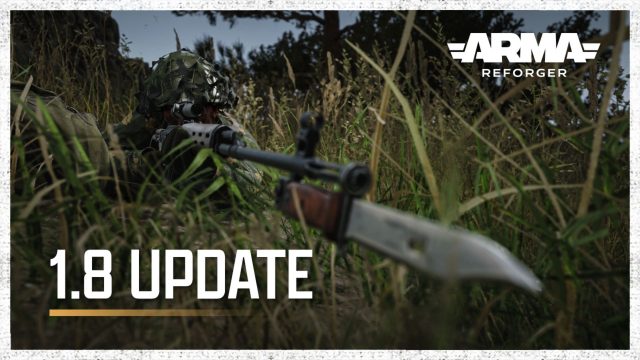
ARMA Reforger is an engaging multiplayer military simulation game that serves as a bridge between the past and future of the ARMA series. Developed by Bohemia Interactive, this title emphasizes realism, strategy, and cooperative gameplay. With its recent updates, ARMA Reforger offers players not only enhanced graphics and combat mechanics but also a dynamic environment to engage in tactical warfare. As the gaming community continues to grow, especially in Southeast Asia, this game stands out as a favorite, attracting players from Indonesia's bustling cities like Jakarta and Surabaya.
Platform Availability
ARMA Reforger is currently available on the following platforms:
- Steam: The game can be purchased and downloaded directly from the Steam store.
- Xbox: Available for download on Xbox consoles.
Players are encouraged to access the game through these platforms, especially to enjoy the latest updates and community features.
System Requirements
Before downloading ARMA Reforger, it is essential to ensure your system meets the following minimum requirements:
Minimum Requirements
- OS: Windows 10 (64-bit)
- Processor: Intel Core i5-4430 / AMD FX-6300
- Memory: 8 GB RAM
- Graphics: NVIDIA GeForce GTX 960 / AMD Radeon R9 290
- DirectX: Version 11
- Storage: 20 GB available space
Recommended Requirements
- OS: Windows 10 (64-bit)
- Processor: Intel Core i7-4790 / AMD Ryzen 5 1600
- Memory: 16 GB RAM
- Graphics: NVIDIA GeForce GTX 1060 / AMD Radeon RX 580
- DirectX: Version 11
- Storage: 20 GB available space
Ensuring your gaming setup meets these requirements will provide an optimal experience within the game.
How to Download ARMA Reforger
Getting started with ARMA Reforger is straightforward. Follow these steps to download and install the game on your preferred platform:
For Steam Users
- Open the Steam client on your PC.
- Log into your Steam account. If you don't have an account, create one for free.
- In the search bar, type "ARMA Reforger".
- Click on the game from the search results.
- Select the "Add to Cart" option.
- Proceed to checkout and complete your purchase.
- Once purchased, click on "Library", find ARMA Reforger, and select "Install".
For Xbox Users
- Turn on your Xbox console and log into your Xbox Live account.
- Navigate to the Microsoft Store from the home screen.
- Use the search function to locate "ARMA Reforger".
- Select the game and choose "Buy".
- After the purchase, you can access the game from your library and install it directly.
Conclusion
ARMA Reforger is not just a game; it's a community-driven experience that fosters collaboration and strategy. As updates continue to roll in, particularly addressing gameplay mechanics and visual enhancements, now is the perfect time to dive in. Whether you are in Southeast Asia or anywhere else in the world, this game offers a unique military simulation that keeps players engaged and returning for more. Don't miss out—download ARMA Reforger today and join the ranks of dedicated players!