
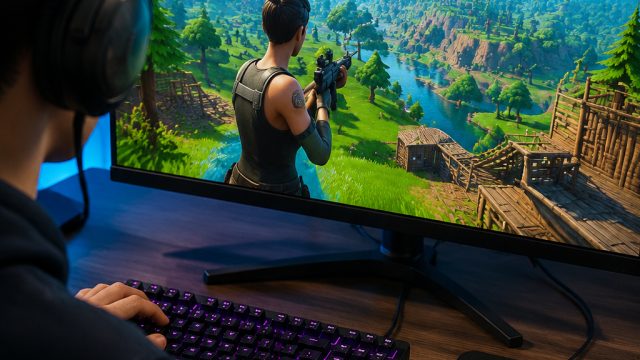
Fortnite has taken the gaming world by storm, becoming one of the most popular multiplayer games available today. Whether you're a seasoned player or new to the world of battle royale, knowing how to download and install Fortnite is crucial. In this comprehensive guide, we’ll walk you through the download process, discuss platform availability, outline system requirements, and provide step-by-step installation instructions. Let's dive into the exciting world of Fortnite!
Overview of Fortnite
Since its launch in 2017, Fortnite has captivated millions of players with its unique blend of survival, shooting, and building mechanics. Players compete to be the last one standing on a vibrant, dynamically changing map filled with diverse environments and challenges. The game features various modes, including the iconic Battle Royale, where up to 100 players fight against each other, and a cooperative mode known as Save the World. With regular updates and seasonal events, Fortnite keeps the gameplay fresh and engaging.
Platform Availability
Fortnite is widely accessible across multiple platforms, ensuring that players can enjoy the game no matter their preferred gaming device. Here’s where you can find Fortnite:
- PC: Available for download on Epic Games Store.
- PlayStation: Downloadable via the PlayStation Store for PS4 and PS5.
- Xbox: Available on the Xbox Store for Xbox One and Xbox Series X/S.
- Nintendo Switch: Find it on the Nintendo eShop.
- Mobile: Available on iOS and Android.
System Requirements
Before you embark on your Fortnite journey, it's essential to ensure that your gaming device meets the necessary system requirements for optimal performance. Below are the recommended and minimum system specifications for playing Fortnite on PC:
For Windows:
- Minimum:
- OS: Windows 7/8/10 64-bit
- Processor: Intel Core i3-3225 or equivalent
- Memory: 4 GB RAM
- Graphics: Intel HD 4000
- DirectX: Version 11
- Network: Broadband Internet connection
- Storage: 15 GB available space
- Recommended:
- OS: Windows 10 64-bit
- Processor: Intel Core i5-7300U 3.5 GHz
- Memory: 8 GB RAM
- Graphics: Nvidia GeForce GTX 960, AMD Radeon R9 280, or equivalent DX11 GPU
- DirectX: Version 11
- Network: Broadband Internet connection
- Storage: 15 GB available space
For Consoles:
Console specifications are less cumbersome, but ensure your device has the latest system updates:
- PS4/PS5: Latest firmware updates from PlayStation.
- Xbox One/Xbox Series X/S: Latest updates from Xbox Live.
- Nintendo Switch: Keep your system updated via the settings menu.
How to Download Fortnite
Now that you’re familiar with the game and system requirements, let’s get to the crucial part: downloading Fortnite. Follow these simple steps based on your chosen platform:
For PC (Epic Games Launcher)
- Visit the Epic Games website.
- Click on the “Download” button to get the Epic Games Launcher.
- Install the launcher by following the on-screen instructions.
- Open the Epic Games Launcher and log in or create an account.
- Once logged in, navigate to the “Store” tab and search for “Fortnite.”
- Click on the game, then select “Get” to start the download.
- After downloading, install Fortnite and start playing!
For PlayStation
- Navigate to the PlayStation Store on your console.
- Search for “Fortnite” in the search bar.
- Select the game and click “Download.”
- Once downloaded, the game will automatically install.
For Xbox
- Open the Xbox Store on your console.
- Search for “Fortnite.”
- Select the game and choose “Get it Free” to start downloading.
- Wait for the game to install; it will be ready to play once completed.
For Nintendo Switch
- Open the Nintendo eShop on your device.
- Search for “Fortnite” using the search function.
- Select the game and click the “Download” button.
- Once the download completes, it will install automatically.
For Mobile (iOS/Android)
- Visit the Epic Games website from your mobile device.
- Follow the instructions for your specific operating system (iOS or Android).
- iOS users will be directed to the App Store, while Android users may need to download the game directly from the Epic Games site.
- Once downloaded, open the app and start enjoying Fortnite!
Conclusion
Downloading Fortnite is a straightforward process, but ensuring you follow the right steps for your platform will lead to a better gaming experience. With its ever-evolving gameplay and community events, there's no better time to join the action. So grab your battle bus, and get ready to drop into the vibrant world of Fortnite. For more gaming guides and updates, stay tuned to hastelo.com!