
The Future of Game Downloads: A Comprehensive Guide
In today's fast-paced digital world, online multiplayer games and esports have taken center stage. As physical copies of games fade into the background, understanding how to navigate the digital download landscape becomes increasingly essential. Whether you're a casual gamer or a competitive esports enthusiast, this guide will equip you with the knowledge to download your favorite games seamlessly.
Why Downloading Games is More Important Than Ever
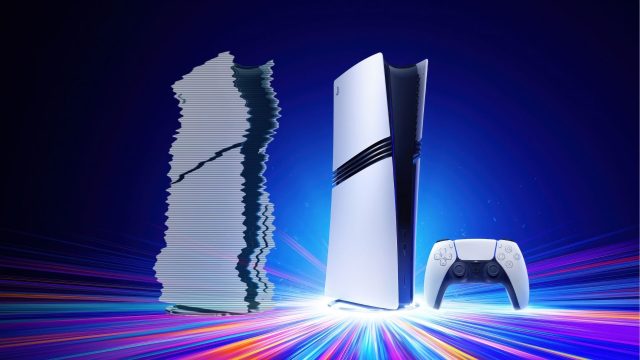
The gaming industry is witnessing a significant shift towards digital platforms. Major developers, including Sony, are embracing this change, leaving behind traditional physical releases. This transformation matters now more than ever because the convenience and accessibility of online gaming can enhance your experience. Here's why downloading games is the future:
- Immediate Access: Downloading games allows instant access to new releases without waiting for shipments.
- Space Efficiency: With cloud storage solutions, you can manage your game library without cluttering your home with discs.
- Regular Updates: Digital downloads often come with automatic updates, ensuring you have the latest features and fixes.
Platform Availability
Understanding where to find and download your favorite multiplayer games is crucial. Here's a rundown of the best platforms available:
Steam
Steam remains one of the most popular platforms for PC gamers, offering a vast library of games, including numerous online multiplayer options. To download games from Steam:
- Visit the Steam Store.
- Create a free account or log in.
- Browse and select games to add to your library.
- Follow the purchase prompts to download your game.
Epic Games Store
Epic Games Store is gaining popularity due to its exclusive titles and free game giveaways. Downloading games is straightforward:
- Go to the Epic Games Store.
- Download the Epic Games Launcher and install it.
- Sign up or log in to your account.
- Browse the store, purchase, and download your games.
Consoles: PlayStation and Xbox
For console gamers, downloading games has never been easier, especially with the current generation of devices:
- PlayStation Store: Access the PlayStation Store from your PS4 or PS5. You can browse and download directly from your console or via the official PlayStation website.
- Xbox Store: Similar to PlayStation, the Xbox Store allows direct downloads on your Xbox console or through the Xbox website.
Nintendo eShop
For Nintendo Switch users, the Nintendo eShop is the go-to platform:
- Open the Nintendo eShop on your console.
- Search for games and select the ones you wish to download.
- Complete your purchase, and the game will download automatically.
System Requirements: What You Need to Know
Before diving into your game of choice, it's essential to understand the system requirements. Different games demand varying levels of hardware performance. Here's a general overview of what to verify:
For PC Games
- Minimum Requirements: Ensure your PC meets the basic specifications for the game, which usually include the operating system, CPU, RAM, and graphics card.
- Recommended Requirements: For optimal performance, check the recommended specs, which typically provide smoother gameplay and enhanced graphics.
For Consoles
Consoles typically have fixed specifications, but it's still wise to ensure your device is updated with the latest firmware to support new games.
How to Download: Step-by-Step Guide
Now that you understand the platforms and system requirements, let's delve into a detailed step-by-step guide on how to download games.
Step 1: Choose Your Platform
Select the digital storefront that you prefer based on your gaming device. For online multiplayer games, platforms like Steam and Epic Games Store often provide a broader selection.
Step 2: Create an Account
If you don’t already have an account on your chosen platform, sign up. Most platforms require basic information like email and password.
Step 3: Browse and Select Your Game
Navigate through the extensive library and search for the game you wish to download. Look out for user reviews and ratings to help make your decision.
Step 4: Complete the Purchase
Follow the prompts to purchase your game. For free-to-play titles, simply click on the download button.
Step 5: Download and Install
Once the transaction is completed, your game will typically begin downloading automatically. Monitor the download progress and wait for the installation to finish before launching the game.
Conclusion
The transition to digital downloads signifies a major shift in how we access and experience games. As physical copies become increasingly rare, staying informed about platforms, system requirements, and installation steps is crucial. Embrace the future of gaming by downloading your favorite titles today and join the vibrant online multiplayer community that awaits. The digital future is here, and it's all at your fingertips!