
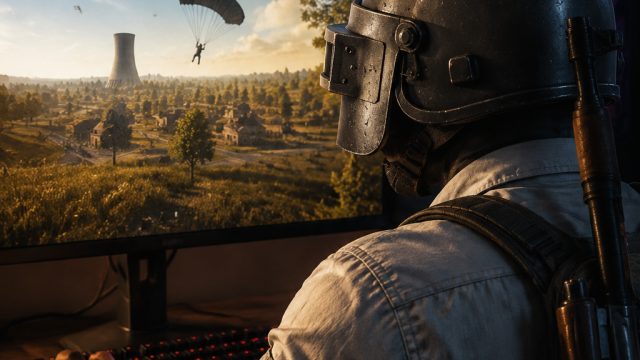
PUBG: BATTLEGROUNDS, the game that transformed the landscape of online multiplayer gaming, continues to captivate millions. With its intense battle royale format, it provides players with unmatched thrills and competition. Whether you're a seasoned competitor or a newcomer aiming to experience the adrenaline rush, downloading PUBG is your first step toward joining the action. In this guide, we'll walk you through everything you need to know about downloading PUBG on various platforms.
Overview of PUBG: BATTLEGROUNDS
Originally released in 2017, PUBG: BATTLEGROUNDS quickly became a staple in the esports community. The game pits players against each other on a vast map, where the last player or team standing wins. It combines strategy, teamwork, and sharp shooting skills, making every match unique and unpredictable. Recent updates, including the latest enhancements to its ranked system, have made the game even more rewarding for players looking to climb the competitive ladder.
Platform Availability
PUBG: BATTLEGROUNDS is available on multiple platforms, ensuring accessibility for all players:
- PC: Available on Steam
- Xbox One: Download from the Xbox Store
- PlayStation 4: Available on the PlayStation Store
- Mobile: Download from Google Play or the Apple App Store
System Requirements
Before downloading PUBG: BATTLEGROUNDS, ensure that your system meets the following minimum and recommended requirements:
For PC
- Minimum Requirements:
- OS: Windows 10 64-bit
- Processor: Intel Core i5-4430 / AMD FX-6300
- Memory: 8 GB RAM
- Graphics: NVIDIA GeForce GTX 960 / AMD Radeon R7 370
- DirectX: Version 11
- Network: Broadband Internet connection
- Storage: 30 GB available space
- Recommended Requirements:
- OS: Windows 10 64-bit
- Processor: Intel Core i5-6600 / AMD Ryzen 5 1600
- Memory: 16 GB RAM
- Graphics: NVIDIA GeForce GTX 1060 / AMD Radeon RX 580
- DirectX: Version 11
- Network: Broadband Internet connection
- Storage: 30 GB available space
How to Download
Now that you know the basics, here’s how to download PUBG: BATTLEGROUNDS on your chosen platform:
On PC via Steam
- Open the Steam Store.
- If you do not have Steam, download and install it first.
- Create a Steam account or log in.
- Search for "PUBG: BATTLEGROUNDS" in the store.
- Click on the game and select “Add to Cart.”
- Proceed to checkout and complete your purchase.
- Once purchased, you can find the game in your library. Click “Install” to download it.
On Xbox One
- Turn on your Xbox One and go to the Xbox Store.
- Search for “PUBG: BATTLEGROUNDS.”
- Select the game and click “Get” to purchase or download.
On PlayStation 4
- Start your PlayStation 4 and navigate to the PlayStation Store.
- Use the search function to locate “PUBG: BATTLEGROUNDS.”
- Select the game and choose “Download” or complete your purchase if necessary.
On Mobile
- For Android, open Google Play, or for iOS, open the Apple App Store.
- Search for “PUBG Mobile.”
- Tap “Install” to download the game to your device.
Conclusion
Downloading PUBG: BATTLEGROUNDS opens the door to an exhilarating gaming experience. With its competitive nature and constant updates, there's never been a better time to dive into this epic battle royale. Follow the steps outlined above to get started, and join the thousands of players across the globe who are currently engaged in this dynamic world. Whether you enjoy solo play or teaming up with friends, PUBG is sure to provide countless hours of entertainment.