
Ultimate Guide to Downloading Fallout 4: Your Next Adventure Awaits
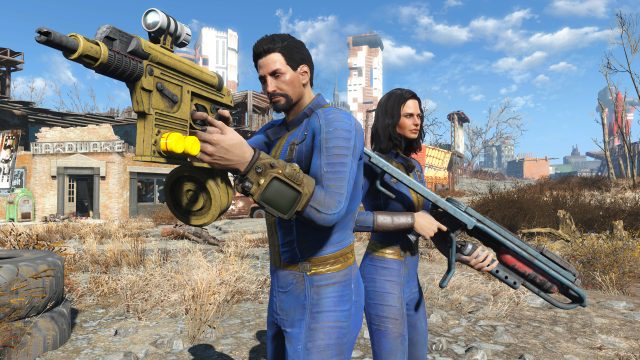
In the world of video games, few titles offer an immersive experience like Fallout 4. Whether you are a long-time fan of the franchise or a newcomer looking for a thrilling adventure, downloading Fallout 4 is your first step into the expansive post-apocalyptic wasteland. In this guide, we’ll walk you through everything you need to know about accessing this remarkable game, including platform availability, system requirements, and installation steps.
Why Fallout 4 Matters Now
Released by Bethesda in 2015, Fallout 4 remains a standout title in the action RPG genre, thanks to its rich storytelling, dynamic gameplay, and breathtaking graphics. The current gaming landscape has seen a resurgence of interest in classic games, especially as players look for deep narrative experiences that allow them to escape reality. With its blend of exploration, combat, and crafting mechanics, Fallout 4 offers endless possibilities for gameplay. Now is the perfect time to dive back into this iconic title or experience it for the first time.
Platform Availability
Fallout 4 is widely available across multiple platforms, catering to gamers everywhere. Here’s where you can find it:
- PC: Available on Steam and GOG.
- PlayStation: Downloadable from the PlayStation Store.
- Xbox: Accessible via the Xbox Store.
- Xbox Game Pass: Available for subscribers on Xbox and PC.
System Requirements
Before downloading Fallout 4, it’s crucial to ensure your system meets the necessary requirements. Here’s a breakdown for each platform:
PC Requirements
- Minimum:
- OS: Windows 7/8/10 (64-bit)
- Processor: Intel Core i5-2300 / AMD Phenom II X6 1090T
- Memory: 8 GB RAM
- Graphics: NVIDIA GTX 550/AMD Radeon HD 7870
- DirectX: Version 11
- Storage: 30 GB free disk space
- Recommended:
- OS: Windows 7/8/10 (64-bit)
- Processor: Intel Core i7-4790 / AMD FX-9590
- Memory: 8 GB RAM
- Graphics: NVIDIA GTX 780/AMD Radeon R9 290
- DirectX: Version 11
- Storage: 30 GB free disk space
Console Requirements
- PlayStation 4: Requires 30 GB free space and a stable internet connection for updates.
- Xbox One: Requires 30 GB free space and a stable internet connection for updates.
How to Download Fallout 4
Downloading Fallout 4 is a straightforward process, but following these steps will ensure a smooth experience:
For PC Users:
- Visit the Steam Store or GOG.
- Create an account or log in to your existing account.
- Purchase Fallout 4 and add it to your library.
- Download and install the game via the client.
- Once installed, launch the game and immerse yourself in the world of Fallout 4!
For PlayStation Users:
- Navigate to the PlayStation Store.
- Search for Fallout 4 and select it.
- Purchase the game and confirm your payment.
- Download directly to your console.
- Start playing once the download is complete!
For Xbox Users:
- Open the Xbox Store on your console.
- Search for Fallout 4.
- Purchase the game and follow the prompts to download.
- Wait for the installation to finish before diving in.
Conclusion
Downloading Fallout 4 opens the door to one of the most captivating gaming experiences available today. With its blend of action, exploration, and storytelling, you will find yourself lost in a world filled with challenges and adventures. Whether you want to relive the experience or embark on this journey for the first time, accessing the game is easier than you think. Get ready to step into the wasteland and create your own story in Fallout 4!