
Key Takeaways
- Star Trek Online is available on PC, PlayStation, and Xbox.
- Players can explore vast galaxies and participate in epic space battles.
- Ensure your system meets the game’s requirements for optimal performance.
- Downloading the game is easy through major digital storefronts.
- Join millions of players worldwide in this immersive online experience.
Overview of Star Trek Online
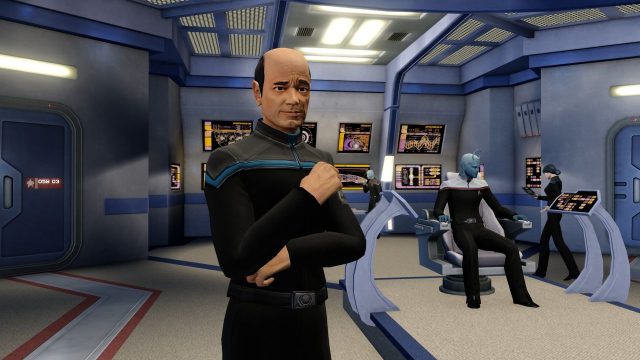
Star Trek Online invites players to boldly go where no one has gone before. As an MMORPG, it offers a rich narrative experience set in the iconic universe of Star Trek. Players can create their own captain, build starships, and engage in thrilling space missions. With more than 16 years of continuous updates, the game has evolved to include new features, missions, and gameplay enhancements, keeping the experience fresh and engaging.
Platform Availability
Star Trek Online is accessible on various platforms, making it easy for fans to dive into the action regardless of their gaming setup. The game is available on:
System Requirements
Before downloading Star Trek Online, it’s crucial to ensure your device meets the game’s minimum and recommended specifications for an optimal experience. Here are the system requirements:
PC Requirements
- Minimum:
- OS: Windows 7/Windows 8/Windows 10
- Processor: Dual-core CPU 2.0 GHz
- Memory: 6 GB RAM
- Graphics: NVIDIA GeForce 8600/ATI Radeon HD 2600/Intel HD Graphics 4000
- DirectX: Version 9.0c
- Network: Broadband Internet connection
- Storage: 20 GB available space
- Recommended:
- OS: Windows 10
- Processor: Dual-core CPU 2.5 GHz
- Memory: 8 GB RAM
- Graphics: NVIDIA GeForce 960/AMD Radeon HD 7850 or better
- DirectX: Version 11
- Network: Broadband Internet connection
- Storage: 20 GB available space
How to Download
Downloading Star Trek Online is a straightforward process. Follow these steps to get started:
For PC Users:
- Visit Steam or ARC Games.
- Search for "Star Trek Online" in the search bar.
- Click on the game from the search results.
- Press the "Play Game" button to start the download.
- Once downloaded, launch the game and create your account.
For Console Users:
- Go to the PlayStation Store or Xbox Store.
- Search for "Star Trek Online" in the search function.
- Select the game and click on the download button.
- Wait for the installation to complete, then launch the game.
Conclusion
Star Trek Online continues to captivate players around the globe with its expansive universe and engaging gameplay. With its availability across multiple platforms and a supportive community, now is the perfect time to download and embark on an epic journey. Whether you're fighting in the depths of space or exploring new worlds, the adventure awaits in Star Trek Online.