
Key Takeaways
- Phasmophobia is available on PC, PS4, and Xbox.
- System requirements are essential to ensure smooth gameplay.
- Official platforms include Steam and the PlayStation Store.
- Installation steps vary slightly by platform.
- Engage in cooperative ghost hunting with friends online.
Overview of Phasmophobia
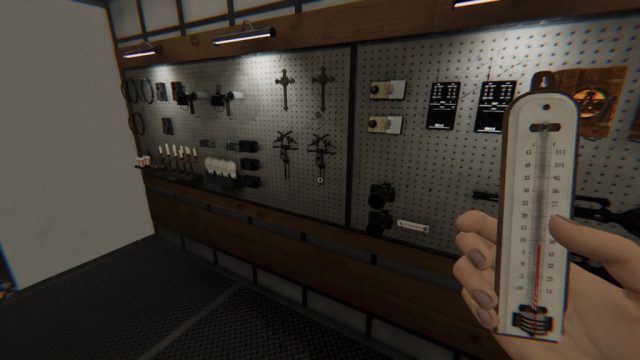
Phasmophobia is an exciting multiplayer horror game that has taken the gaming community by storm. Developed by Kinetic Games, this cooperative ghost-hunting experience allows players to team up as paranormal investigators. Players must gather evidence of the supernatural while navigating haunted locations filled with eerie surprises. What makes Phasmophobia particularly engaging is its reliance on voice recognition technology, enhancing the immersive experience. Its popularity continues to rise, especially in regions like Southeast Asia, where gamers are drawn to its unique blend of strategy and thrill.
Platform Availability
Phasmophobia is primarily available on the following platforms:
- PC via Steam: The primary platform for downloading Phasmophobia is Steam, which offers regular updates and community support.
- PlayStation 4: Available for console players on the PlayStation Store, offering a different gameplay experience.
- Xbox: Players can find Phasmophobia on the Xbox Store, bringing the ghost-hunting experience to more gamers.
System Requirements
Before downloading Phasmophobia, check to ensure your system meets the following requirements for optimal gameplay:
Minimum Requirements
- OS: Windows 10 (64-bit)
- Processor: Intel Core i3 or equivalent
- Memory: 8 GB RAM
- Graphics: NVIDIA GTX 760 or equivalent
- DirectX: Version 11
- Storage: At least 13 GB of available space
Recommended Requirements
- OS: Windows 10 (64-bit)
- Processor: Intel Core i5 or equivalent
- Memory: 16 GB RAM
- Graphics: NVIDIA GTX 970 or equivalent
- DirectX: Version 11
- Storage: At least 13 GB of available space
How to Download Phasmophobia
Downloading Phasmophobia is a straightforward process, whether you are using a PC or console. Follow these step-by-step guidelines based on your preferred platform:
On PC (Steam)
- Open the Steam client on your computer. If you don’t have Steam, download and install it from the official Steam website.
- In the Steam client, use the search bar to find "Phasmophobia".
- Select the game from the search results.
- Click on the "Add to Cart" button and proceed to checkout.
- Complete the purchase using your preferred payment method.
- Once purchased, the game will be added to your library. Click on "Library" and find Phasmophobia.
- Click the "Install" button, and the game will begin downloading.
On PlayStation 4
- Navigate to the PlayStation Store on your console.
- Use the search function to find "Phasmophobia".
- Select the game and choose "Purchase" to buy it.
- After the purchase, the game will automatically be downloaded onto your system.
On Xbox
- Open the Xbox Store on your console.
- Search for "Phasmophobia" in the store.
- Select the game and proceed with the purchase.
- Once the purchase is complete, the download will start automatically.
Conclusion
Phasmophobia offers a unique blend of excitement and strategy that has captivated players worldwide. By following this guide, you can easily download the game and join in on the paranormal fun. Remember to ensure your system meets the requirements for an optimal experience. Whether you are in Jakarta, Surabaya, or anywhere else in Southeast Asia, gathering your friends for a ghost hunt is just a download away!