
Key Takeaways
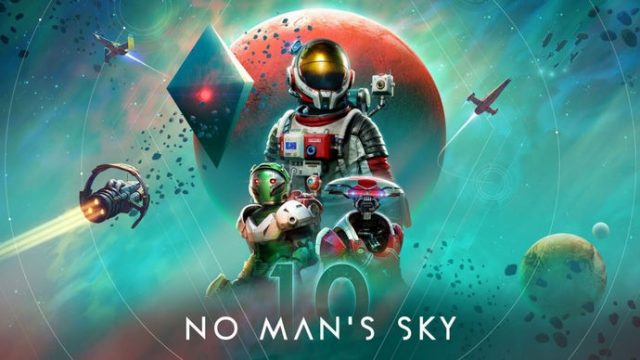
- No Man's Sky celebrates 10 years of continuous updates.
- Available on PC, PlayStation, Xbox, and Nintendo Switch.
- Minimum and recommended system requirements vary by platform.
- Official download links provided for easy access.
- Installation steps are straightforward for all platforms.
Overview of No Man's Sky
No Man's Sky is a groundbreaking space exploration game developed by Hello Games. Since its launch in 2016, the game has undergone significant transformations, evolving into a vast universe filled with diverse planets, creatures, and gameplay modes. Initially met with skepticism, it has since garnered a dedicated fanbase, thanks to continual updates and expansions that enhance the gaming experience. Players can explore, build bases, and engage in trading, crafting, and combat. The game also offers multiplayer features, allowing users to collaborate in their exploration.
Platform Availability
No Man's Sky is accessible on various platforms, making it easy for players around the world to join the adventure. Here’s where you can find it:
- PC: Available on Steam and GOG.
- PlayStation: Download from the PlayStation Store.
- Xbox: Available on the Xbox Store.
- Nintendo Switch: Get it from the Nintendo eShop.
System Requirements
Before diving into the universe of No Man's Sky, it's essential to make sure your system meets the requirements. Below are the minimum and recommended specifications for PC users, as well as general requirements for console players:
PC Requirements
Minimum Requirements:
- OS: Windows 10
- Processor: Intel Core i5 or equivalent
- Memory: 8 GB RAM
- Graphics: NVIDIA GTX 480 or AMD Radeon 7870
- DirectX: Version 11
- Storage: 15 GB available space
Recommended Requirements:
- OS: Windows 10
- Processor: Intel Core i7 or equivalent
- Memory: 16 GB RAM
- Graphics: NVIDIA GTX 1060 or AMD Radeon 580
- DirectX: Version 11
- Storage: 15 GB available space
Console Requirements
For console players, ensure you have:
- Latest system updates installed.
- Enough storage space for the game and updates.
How to Download No Man's Sky
Downloading No Man's Sky is a straightforward process. Whether you’re on PC, PlayStation, Xbox, or Nintendo Switch, follow these steps to get started:
For PC Users (Steam or GOG)
- Go to the Steam or GOG website.
- Search for No Man's Sky in the store.
- Click the 'Purchase' or 'Add to Cart' button.
- Follow the prompts to complete your purchase.
- Once purchased, download the game through the client (Steam/GOG).
For Console Users (PlayStation, Xbox, Nintendo Switch)
- Access your console's store (PlayStation Store, Xbox Store, or Nintendo eShop).
- Search for No Man's Sky.
- Select the game and proceed to purchase.
- After purchase, the game should automatically download.
- Once downloaded, launch the game from your library.
Conclusion
No Man's Sky has transformed significantly over the last decade, earning its place as a beloved title among gamers. With its availability across multiple platforms, players in Southeast Asia, including Indonesia (Jakarta, Surabaya, Bali), can easily join in on the adventure. By following the download guide above, you'll be ready to explore the universe in no time. Whether you're interested in base-building, trading, or simply exploring the vast cosmos, No Man's Sky has something for everyone.