
Maximize Your Steam Deck Experience with Custom Tools in 2023
The Steam Deck has revolutionized portable gaming, offering players a console-like experience with the capabilities of a full PC. As we delve deeper into 2023, the potential of your Steam Deck can be significantly enhanced through various custom tools and software. Whether you're a hardcore gamer or just starting out, understanding how to optimize your device is essential for an immersive gaming experience.
Platform Availability
The Steam Deck runs on a modified version of SteamOS, which allows access to a vast library of games available on the Steam platform. In addition to Steam, users can also install third-party applications, making it versatile for different gaming needs. The Steam Deck is primarily available through the official Steam online store, where players can purchase the device and gain immediate access to countless titles.
System Requirements
Before diving into the world of Steam Deck customization, it's crucial to be aware of the system specifications. Here’s a brief overview of the key requirements needed to run most games effectively:
- Operating System: SteamOS (Linux-based)
- Processor: AMD APU with quad-core Zen 2 architecture
- Graphics: Integrated AMD RDNA 2
- RAM: 16 GB LPDDR5
- Storage: Options from 64 GB eMMC to 512 GB NVMe SSD
- Display: 7-inch LCD touchscreen (1280 x 800 resolution)
- Battery Life: 2-8 hours depending on usage
With these specifications, most modern multiplayer and esports titles run smoothly, making the Steam Deck a solid choice for gamers on the go.
How to Download Games on Your Steam Deck
Downloading games on your Steam Deck is a straightforward process. Follow the steps below to get started:
Step 1: Access Steam
Turn on your Steam Deck and log into your Steam account. If you don’t have one, you can easily create an account through the Steam website or the app.
Step 2: Browse for Games
Navigate to the 'Store' section within the Steam interface. Here you will find endless options of games including popular titles that are trending now.
Step 3: Purchase and Download
Once you find a game you want, click on it to view details, including system requirements. If it meets your needs, click on the 'Add to Cart' button, proceed to checkout, and complete your purchase. The game will automatically begin downloading to your Steam Deck.
Step 4: Install and Play
After the download completes, the game will be installed automatically. You can then launch it from your library and start playing!
Step 5: Explore Custom Tools
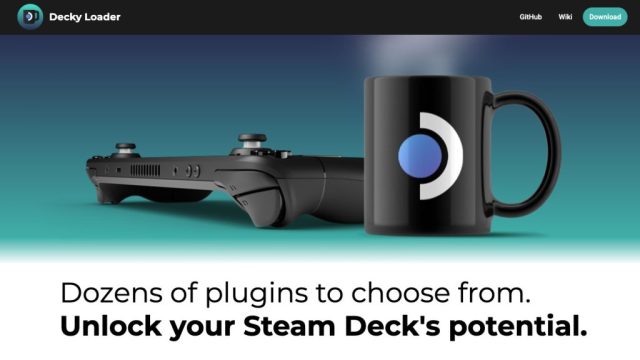
To truly maximize your gaming experience, consider exploring custom tools like Decky Loader, which allows for further enhancements and customization options for your Steam Deck. This tool facilitates the addition of various plugins and applications that can enhance functionality.
Why Customization Matters Now
The gaming landscape is always evolving, and for players who want to stay at the top of their game, customization is key. As esports and online multiplayer become more competitive, having the right tools and optimizations can be the difference between victory and defeat. Customizing your Steam Deck not only elevates your personal gaming experience but also prepares you for the future challenges in gaming.
Conclusion
In summary, the Steam Deck is a powerful gaming device that can be tailored to fit your gaming style and preferences. With the right understanding of system requirements and the ability to download and customize games, you can unlock its full potential. Explore the Steam Store today to find the latest games and tools that can enhance your gaming experience. Whether you aspire to be the top scorer in La Liga or simply wish to enjoy gaming with friends, your Steam Deck is ready to meet the challenge.
For more information on game downloads and customization tips, check out the official Steam platform. Happy gaming!