
Key Takeaways
- Marvel's Spider-Man 2 can be downloaded on PlayStation 5.
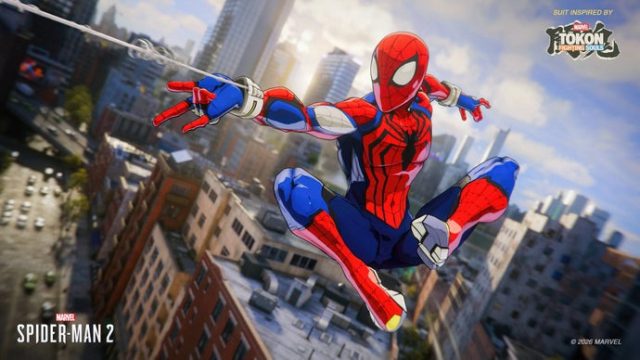
- Enjoy new suits inspired by popular Marvel storylines.
- System requirements vary based on the platform.
- Regular updates keep the game fresh and engaging.
- Join the Southeast Asian gaming community to share adventures.
Overview
Marvel's Spider-Man 2 has captured the hearts of gamers worldwide with its thrilling gameplay and stunning graphics. Released exclusively for the PlayStation 5, this game continues the adventures of our favorite web-slinger, offering players an immersive experience like no other. With new suits, enhanced abilities, and dynamic storytelling, Marvel's Spider-Man 2 represents the evolution of superhero gaming.
This installment not only enhances the original narrative but also introduces exciting new gameplay mechanics, keeping players on the edge of their seats. The appeal of Marvel's Spider-Man 2 extends far beyond its engaging story; it thrives on community interaction, particularly in regions like Southeast Asia, where gaming culture is rapidly growing.
Platform Availability
Marvel's Spider-Man 2 is currently available exclusively on the PlayStation 5. Gamers must own this console to experience the full capabilities of the game. As the gaming landscape continues to evolve, the PlayStation 5's advanced hardware ensures that players enjoy stunning visuals and seamless gameplay.
System Requirements
Since Marvel's Spider-Man 2 is a console-exclusive title, traditional system requirements like those found on PC are not applicable. However, to get the most out of your gaming experience, it's essential to have:
- PlayStation 5 console
- Stable internet connection for updates
- PlayStation Network account for online features
Ensure your system is updated to the latest firmware to enjoy all the new features offered in the game.
How to Download
Downloading Marvel's Spider-Man 2 is a straightforward process. Follow these steps to get started:
Step 1: Access the PlayStation Store
Turn on your PlayStation 5 and navigate to the PlayStation Store from the main menu. You can find the store icon on the home screen.
Step 2: Search for Marvel's Spider-Man 2
Use the search function within the PlayStation Store to locate Marvel's Spider-Man 2. Type in the game's title and select it from the results.
Step 3: Purchase or Download
If you haven't purchased the game yet, you'll need to buy it by following on-screen instructions. Once purchased, you can download it directly onto your console. If you already own it, simply select the download option.
Step 4: Wait for Installation
Once the download is complete, the game will automatically install. You can check the progress in the notifications section of your console.
Step 5: Start Playing
After installation, you can find Marvel's Spider-Man 2 on your home screen. Click to launch and begin your adventure!
Conclusion
Marvel's Spider-Man 2 is a must-have for any superhero gaming fan. With its engaging storyline, new content, and community involvement, it offers a uniquely thrilling experience. By following the steps outlined above, players can quickly download and dive into the action. Whether you're in Jakarta, Bali, or any part of the ASEAN region, join the growing number of players and share your adventures in this beloved franchise.