
Overview
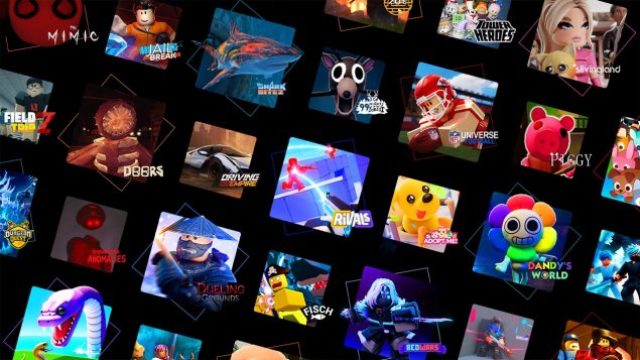
Roblox is more than just a game; it’s a massive online platform that enables users to create their own games or engage in a variety of user-generated experiences. With millions of active players, particularly in Southeast Asia, including Indonesia, Roblox has become a cultural phenomenon. Given the rising interest in online multiplayer games and esports, understanding how to download and safely navigate Roblox is crucial for new players.
Platform Availability
Roblox is accessible across various platforms, making it easy for players to join and enjoy the vast array of games. Here’s a breakdown of where you can download Roblox:
- PC: Download via the official Roblox website.
- Mac: Available through the Roblox website as well.
- Mobile: Get it on the Google Play Store or the Apple App Store.
- Xbox One: Download via the Xbox Store.
- VR Platforms: Roblox is also compatible with VR headsets that support its games.
System Requirements
Before downloading Roblox, it’s essential to ensure your device meets the system requirements to provide a seamless experience. Here are the minimum and recommended specifications:
For Windows PC:
- Minimum: Windows 7, 8, or 10, 1 GB of RAM, and a DirectX 9 compatible graphics card.
- Recommended: Windows 10, 2 GB of RAM or more, and a modern graphics card.
For Mac:
- Minimum: macOS 10.11 (El Capitan) or later, 1 GB of RAM.
- Recommended: macOS 10.14 (Mojave) or later, 2 GB of RAM or more.
For Mobile Devices:
- Android: Requires Android 4.4 or higher.
- iOS: Compatible with iOS 9.0 or later.
How to Download
Getting started with Roblox is a straightforward process. Follow these steps to download and install the game on your chosen device:
On Windows or Mac:
- Visit the Roblox official website.
- Create an account or log in if you already have one.
- Select a game to play, which will prompt the download of the Roblox Player.
- Follow the on-screen instructions to install the Player.
On Mobile Devices:
- Open the Google Play Store or Apple App Store.
- Search for "Roblox" in the search bar.
- Select the Roblox app and click "Install" or "Get".
On Xbox One:
- Go to the Xbox Store.
- Type "Roblox" in the search bar.
- Select the game and choose "Download".
Key Takeaways
- Roblox is a versatile platform for gaming and game creation.
- Available on PC, Mac, mobile devices, and Xbox.
- Check system requirements before downloading to ensure compatibility.
- Follow easy steps for a seamless download experience.
- Engage safely within the vibrant Roblox community.
Frequently Asked Questions
What devices can I play Roblox on?
You can play Roblox on PCs, Macs, mobile devices (Android and iOS), and Xbox One.
Is Roblox free to download?
Yes, Roblox is free to download and play, with optional in-game purchases.
What are the age restrictions for Roblox?
Roblox is designed for players aged 7 and up, but parental guidance is recommended for younger users.
Can I create my own games on Roblox?
Absolutely! Roblox allows users to create, share, and monetize their own games.
How can I ensure my child plays safely on Roblox?
Encourage them to use privacy settings, report any inappropriate behavior, and monitor their gameplay regularly.