
Key Takeaways
- Available on PC, mobile, and consoles.
- Free-to-play model with in-game purchases.
- Enjoy rich graphics and engaging storylines.
- Regular updates keep the game fresh.
- Join a vast community of players worldwide.
Overview of Honkai: Star Rail
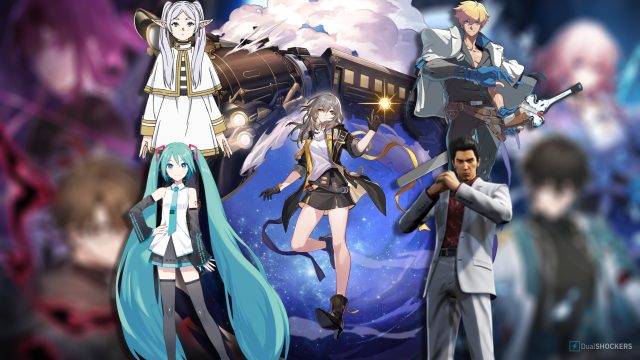
Honkai: Star Rail is an exciting turn-based strategy RPG developed by Hoyoverse, famous for its captivating world and characters. Set in a sci-fi environment, players embark on an interstellar journey filled with challenges and mysteries. Its recent success, including collaborations and crossovers with popular franchises, has made it a must-play title in today's gaming landscape.
The game integrates rich storytelling, stunning visuals, and immersive gameplay that draws players into its universe. With its availability across different platforms, it has become increasingly popular, especially in regions like Southeast Asia, where mobile gaming is booming.
Platform Availability
Honkai: Star Rail can be downloaded on various platforms, ensuring that players can access it wherever they prefer gaming. Here’s where you can find it:
- PC: Available on Steam and Epic Games Store.
- Mobile: Download via Google Play for Android users and Apple App Store for iOS users.
- Consoles: Check the respective console stores for future announcements, as the game may expand its availability beyond PC and mobile.
System Requirements
Before downloading Honkai: Star Rail, ensure your device meets the following system requirements for optimal gameplay:
For PC Users
- Minimum Requirements:
- OS: Windows 10 (64-bit)
- Processor: Intel Core i5 or equivalent
- Memory: 8 GB RAM
- Graphics: NVIDIA GeForce GTX 660 or equivalent
- DirectX: Version 11
- Storage: At least 30 GB available space
- Recommended Requirements:
- OS: Windows 10/11 (64-bit)
- Processor: Intel Core i7 or equivalent
- Memory: 16 GB RAM
- Graphics: NVIDIA GeForce GTX 1060 or equivalent
- DirectX: Version 11
- Storage: SSD with at least 30 GB available space
For Mobile Users
- iOS: Requires iOS 11.0 or later, compatible with iPhone, iPad, and iPod touch.
- Android: Requires Android 5.0 or later and at least 3 GB of RAM.
How to Download Honkai: Star Rail
Getting started with Honkai: Star Rail is easy. Follow these steps based on your chosen platform:
For PC
- Visit Steam or Epic Games Store.
- Search for "Honkai: Star Rail" in the store's search bar.
- Click on the game title and select "Download" or "Install".
- Follow the prompts to complete the installation process.
- Once installed, launch the game and enjoy!
For Mobile
- Open the Google Play Store or Apple App Store on your device.
- Type "Honkai: Star Rail" into the search bar.
- Select the game from the search results.
- Tap on "Install" and wait for it to download.
- After installation, launch the game and start your adventure!
Conclusion
Honkai: Star Rail stands out as a top-tier gaming experience that combines strategic gameplay with an enthralling narrative. Whether you’re a seasoned gamer or a newcomer, this game offers something for everyone. With its availability across multiple platforms and regular updates, now is the perfect time to jump into this immersive universe. Don’t miss out on being part of the vibrant community and the action-packed adventures awaiting in Honkai: Star Rail!