
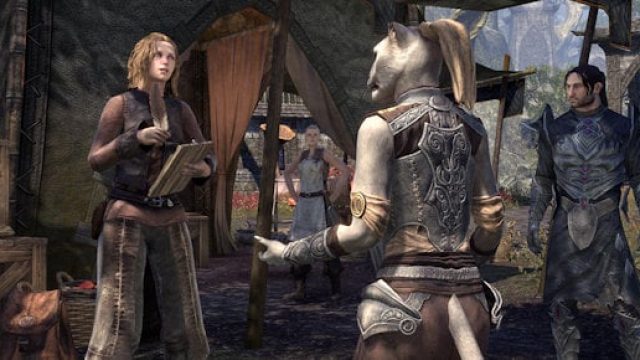
Your Essential Guide to Downloading Elder Scrolls Online
The Elder Scrolls Online (ESO) has captivated gamers worldwide with its expansive universe, rich lore, and immersive gameplay. Launched in 2014, it has evolved significantly, offering players a constantly updating experience filled with new adventures and challenges. With the arrival of Update 51, featuring enhancements such as the Nowhere Vault and antiquities updates, there’s no better time to dive into Tamriel. This guide will provide you with all the essential information you need to download and install ESO on your preferred platform, making it easier than ever to join the thriving community of adventurers.
Overview of Elder Scrolls Online
Set in the beloved Elder Scrolls universe, ESO allows players to explore the continent of Tamriel, engaging in quests, battling enemies, and forming alliances with other players. As an MMORPG, it offers vast multiplayer experiences that can be enjoyed solo or with friends. The game continually receives updates, improving gameplay mechanics, introducing new content like dungeons, and providing fresh experiences through its flexible class system. The latest features and updates, including U51, focus on enhancing player engagement and user experience.
Platform Availability
Elder Scrolls Online is available on multiple platforms, making it accessible for a wide range of players. Here’s where you can find it:
- PC/Mac: Available on the Steam and official ESO website.
- PlayStation: Download from the PlayStation Store.
- Xbox: Available for download on the Xbox Store.
- Nintendo Switch: Check the Nintendo eShop for availability.
System Requirements
Before downloading Elder Scrolls Online, ensure your system meets the following minimum requirements to enjoy the game without issues. The game is continuously updated, so it’s wise to check the official website for the latest requirements:
Minimum Requirements for PC
- OS: Windows 7 (64-bit) or higher
- Processor: Dual-core 2.0 GHz
- Memory: 4 GB RAM
- Graphics: NVIDIA GeForce 8800 series or AMD equivalent
- DirectX: Version 11
- Network: Broadband Internet connection
- Storage: 85 GB available space
Recommended Requirements for PC
- OS: Windows 10 (64-bit)
- Processor: Dual-core CPU 2.5 GHz
- Memory: 8 GB RAM
- Graphics: NVIDIA GeForce GTX 750 or AMD equivalent
- DirectX: Version 11
- Network: Broadband Internet connection
- Storage: 85 GB available space
How to Download
Now that you know about the game and its system requirements, let’s dive into the steps for downloading Elder Scrolls Online on your chosen platform. Follow these instructions closely to get started:
For PC via Steam
- Open your Steam client or download it from the Steam website.
- Search for "The Elder Scrolls Online" in the store.
- Select the game and click on the "Play Game" button.
- Follow the instructions to complete the download and installation process.
For PC via Official ESO Website
- Visit the official Elder Scrolls Online website.
- Create an ESO account or log in if you already have one.
- Download the game client for Windows or Mac.
- Install the client and follow the onscreen instructions to set up your game.
For PlayStation
- Open the PlayStation Store.
- Search for "The Elder Scrolls Online".
- Select the game and click on the download option.
- Wait for the download to complete and start the game from your library.
For Xbox
- Go to the Xbox Store.
- In the search bar, type "The Elder Scrolls Online".
- Select the game and click on the "Install" button.
- Once installed, launch the game from your games library.
For Nintendo Switch
- Open the Nintendo eShop on your Switch console.
- Search for "The Elder Scrolls Online" in the eShop.
- Select the game and proceed to download.
- After the download completes, start your adventure!
Conclusion
Downloading Elder Scrolls Online is a straightforward process that opens up a world of adventure and exploration in Tamriel. With the latest updates enhancing the game experience, now is the perfect time to join the vast community of players. Whether you’re a seasoned veteran or a new player, you’ll find countless opportunities for fun and excitement. Follow the steps outlined in this guide to get started, and prepare to embark on your journey in the Elder Scrolls universe!