
Key Takeaways
- Available on Steam, GOG, and consoles.
- Minimum PC requirements: Intel i5, 6GB RAM, GTX 660.
- MacOS version available via Boot Camp.
- Engaging story with consequential choices.
- Regular updates enhance gameplay experience.
Overview
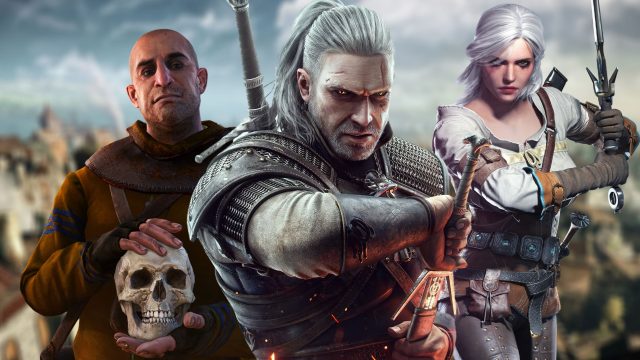
The Witcher 3: Wild Hunt is an acclaimed action RPG that transports players into a sprawling, immersive world filled with rich storytelling and complex characters. Set in a visually stunning universe, players assume the role of Geralt of Rivia, a monster hunter on a quest to find his adopted daughter. The game is notable for its intricate choices that shape the narrative and world, making it a must-play for RPG enthusiasts.
As of October 2023, The Witcher 3 has become a classic in the gaming community, appealing to players in Southeast Asia, particularly in Indonesia, where the gaming market is rapidly expanding. This guide explains how to download the game, covering various platforms, system requirements, and detailed installation instructions.
Platform Availability
The Witcher 3: Wild Hunt is available on multiple platforms, ensuring that players can enjoy the game regardless of their preferred gaming setup. Here are the main platforms where you can access the game:
- PC: Available on Steam and GOG.
- PlayStation: PlayStation 4 and PlayStation 5 users can find the game on the PlayStation Store.
- Xbox: Available for Xbox One and Xbox Series X/S on the Xbox Store.
- Nintendo Switch: Accessible via the Nintendo eShop.
System Requirements
Before downloading The Witcher 3, it's essential to ensure your system meets the necessary specifications for optimal performance. Below are the minimum and recommended requirements:
Minimum Requirements
- OS: Windows 7 or newer
- Processor: Intel Core i5-2500K or AMD Phenom II X4 940
- Memory: 6 GB RAM
- Graphics: NVIDIA GeForce GTX 660 or AMD Radeon HD 7870
- DirectX: Version 11
- Storage: 35 GB free disk space
Recommended Requirements
- OS: Windows 10
- Processor: Intel Core i7-3770 or AMD FX-8350
- Memory: 8 GB RAM
- Graphics: NVIDIA GeForce GTX 770 or AMD Radeon R9 290
- DirectX: Version 11
- Storage: 35 GB free disk space
How to Download
Downloading The Witcher 3: Wild Hunt is straightforward, and you can begin your journey by following these steps based on your platform of choice:
For PC (Steam or GOG)
- Visit the Steam store or GOG store.
- Create an account or log in if you already have one.
- Search for The Witcher 3: Wild Hunt.
- Click on the purchase button and follow the prompts to complete your transaction.
- Once purchased, download the game through your library.
For PlayStation
- Open the PlayStation Store on your console.
- Search for The Witcher 3: Wild Hunt.
- Select the game and proceed to purchase.
- The game will download automatically upon purchase.
For Xbox
- Access the Xbox Store from your console.
- Search for The Witcher 3: Wild Hunt.
- Complete your purchase and the download will start immediately.
For Nintendo Switch
- Go to the Nintendo eShop.
- Find The Witcher 3: Wild Hunt in the store.
- Purchase and download the game directly to your Switch.
Conclusion
The Witcher 3: Wild Hunt is not just a game; it's a captivating experience that combines storytelling, decision-making, and stunning visuals. With its growing popularity across Southeast Asia and the engaging nature of its gameplay, now is the perfect time to dive into Geralt's world. Whether you’re in Jakarta, Bali, or anywhere in Indonesia, this guide has equipped you with the knowledge to download and enjoy this iconic title today.