
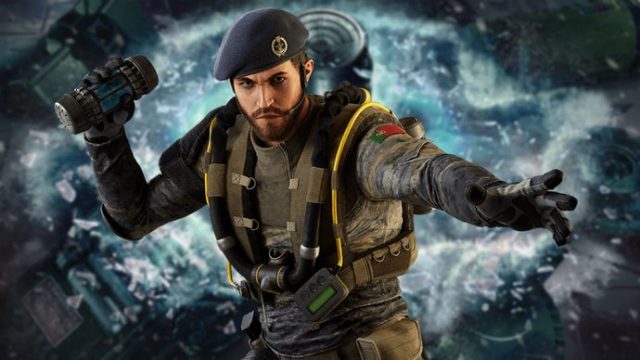
Download Rainbow Six Siege: Your Ultimate Guide for 2023
Rainbow Six Siege has rapidly become one of the most celebrated online multiplayer games, offering exhilarating tactical gameplay and a thriving esports scene. With its unique combination of strategy, teamwork, and high-stakes action, it’s no wonder players want to jump in and experience it for themselves. This guide will walk you through the steps to download Rainbow Six Siege, covering various platforms, system requirements, and installation procedures. Let's get started!
Overview of Rainbow Six Siege
Launched by Ubisoft, Rainbow Six Siege emphasizes close-quarters combat and tactical play. Players join elite units from around the globe and engage in thrilling matches that require both individual skill and team coordination. With a vibrant community, frequent updates, and exciting seasonal content, Rainbow Six Siege maintains its position as a top-tier competitive game.
Platform Availability
Rainbow Six Siege is available on multiple platforms, making it accessible to a vast audience. Here’s where you can find it:
- PC: Available on the Steam Store and Ubisoft Store.
- PlayStation: Download it from the PlayStation Store.
- Xbox: Get it on the Xbox Store.
- Google Stadia: Available through the Stadia platform.
System Requirements
Before downloading Rainbow Six Siege, ensure your system meets the necessary requirements for optimal performance. Here are the official specifications:
Minimum Requirements:
- OS: Windows 7, Windows 8.1, Windows 10 (64-bit versions only)
- Processor: Intel Core i3-560 / AMD Phenom II X4 640
- Memory: 6 GB RAM
- Graphics: Nvidia GeForce GTX 460 / AMD Radeon HD 6850
- DirectX: Version 9.0
- Network: Broadband Internet connection
- Storage: 61 GB available space
Recommended Requirements:
- OS: Windows 7, Windows 8.1, Windows 10 (64-bit versions only)
- Processor: Intel Core i5-2500K / AMD FX-8120
- Memory: 8 GB RAM
- Graphics: Nvidia GeForce GTX 670 / AMD Radeon HD 7970
- DirectX: Version 11
- Network: Broadband Internet connection
- Storage: 61 GB available space
How to Download Rainbow Six Siege
Downloading Rainbow Six Siege is a straightforward process. Follow the steps based on your chosen platform below:
For PC (Steam):
- Visit the Steam Store.
- Search for Rainbow Six Siege in the search bar.
- Select the game from the list and click on the "Add to Cart" button.
- Proceed to checkout and complete the purchase.
- Once purchased, the game will be added to your library. Click "Install" to download it.
For PlayStation:
- Open the PlayStation Store.
- Use the search bar to find Rainbow Six Siege.
- Select the game and choose "Add to Cart" or "Buy Now".
- Follow the prompts to complete your purchase.
- Once purchased, the game will start downloading automatically to your console.
For Xbox:
- Go to the Xbox Store.
- Search for Rainbow Six Siege in the store.
- Select the game and click on "Buy".
- Complete the transaction, and the game will download to your console.
For Google Stadia:
- Open the Google Stadia app or website.
- Search for Rainbow Six Siege.
- Select the game and follow the prompts to purchase and start playing.
Conclusion
Rainbow Six Siege stands out as a premier title in the world of online multiplayer games, and with this guide, you can easily download and start playing. Whether you're strategizing with friends or competing in ranked matches, you’re sure to enjoy the rich gameplay experience it offers. Don’t miss out on joining the action—download Rainbow Six Siege today and dive into the tactical chaos!