
Key Takeaways
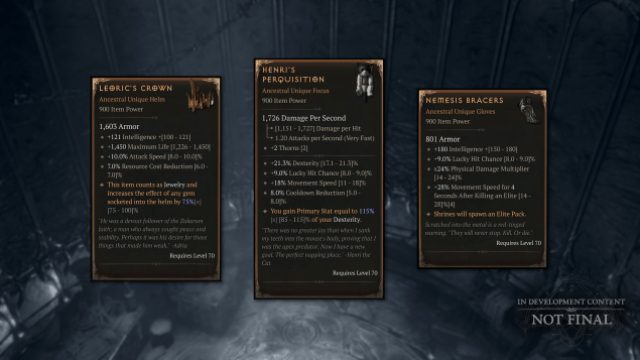
- Diablo 4 offers classic items returning from previous titles.
- Available on PC, PlayStation, and Xbox platforms.
- Check the system requirements before downloading.
- Installation instructions vary by platform, so follow carefully.
- Join a vibrant community of gamers across Southeast Asia.
Overview of Diablo 4
Diablo 4 is the latest installment in Blizzard's beloved franchise, offering an expansive open world filled with dark fantasy elements. With its return to the franchise's roots, players can enjoy a mix of nostalgia and modern gameplay mechanics. The game features an immersive storyline, rich character customization, and, most importantly, the return of iconic items such as the Stone of Jordan. This season aims to reignite interest, especially for players in the Southeast Asia region, maintaining an active community.
Platform Availability
Diablo 4 is accessible on various gaming platforms, catering to a wide audience. Here’s where you can find it:
- PC: Available via Battle.net.
- PlayStation: Download from the PlayStation Store.
- Xbox: Available on the Xbox Store.
System Requirements
Before diving into your adventure, ensure your system meets the game's requirements for an optimal experience:
Minimum Requirements
- OS: Windows 10 (64-bit)
- Processor: Intel Core i5-2500K or AMD FX-8350
- Memory: 8 GB RAM
- Graphics: NVIDIA GeForce GTX 660 or AMD Radeon HD 7950
- DirectX: Version 12
- Storage: 30 GB available space
Recommended Requirements
- OS: Windows 10 (64-bit)
- Processor: Intel Core i7-4770 or AMD Ryzen 5 1500X
- Memory: 16 GB RAM
- Graphics: NVIDIA GeForce GTX 970 or AMD Radeon RX 570
- DirectX: Version 12
- Storage: 30 GB available space
How to Download Diablo 4
Getting started with Diablo 4 is straightforward. Depending on your platform, follow these simple steps:
For PC via Battle.net
- Visit the Battle.net website.
- Create a Blizzard account or log in if you already have one.
- Download and install the Battle.net launcher.
- In the launcher, navigate to the Diablo 4 section.
- Click on the "Install" button and follow the prompts to complete the installation.
For PlayStation
- Open the PlayStation Store on your console.
- Search for "Diablo 4" in the store.
- Select the game and choose "Download" to begin the installation.
For Xbox
- Access the Xbox Store.
- Search for "Diablo 4" and select it from the results.
- Click on the "Install" option to start downloading the game.
Why Download Diablo 4 Now?
With the anticipation surrounding Season 15, there has never been a better time to dive into Diablo 4. The upcoming updates promise to enhance gameplay with familiar and powerful items, making it perfect for both veterans and newcomers. Engaging with the community in Southeast Asia can elevate your experience, especially with scheduled events and competitive opportunities. Joining now ensures you don’t miss out on seasonal events and exclusive rewards.
Conclusion
Downloading Diablo 4 is your gateway to an immersive gaming experience filled with thrilling adventures and beloved nostalgia. By following the steps outlined in this guide, you can easily start your journey in the dark realms of Sanctuary. Don’t miss the chance to engage with a vibrant gaming community as you explore the depths of this epic title.