
Key Takeaways
- DayZ is available on PC, PlayStation, and Xbox.
- System requirements vary based on the platform.
- Follow simple steps to install DayZ and start playing.
- Explore vast open-world environments filled with challenges.
- Join an active community of players for an enhanced experience.
What is DayZ?
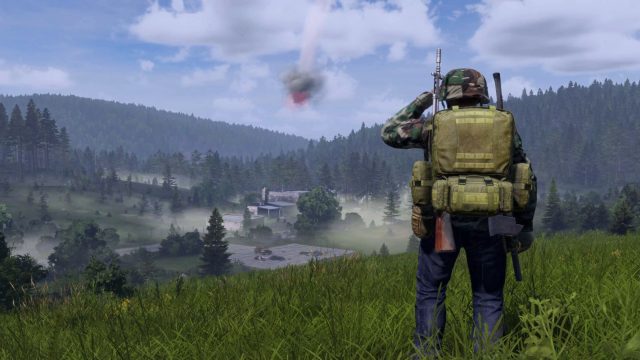
DayZ is a multiplayer open-world survival game that transports players into a post-apocalyptic setting where survival is the primary goal. Originally a mod for Arma 2, it gained immense popularity, leading to its standalone version. Players must scavenge for supplies, build shelters, and fend off both zombies and fellow survivors in this gripping survival experience. The game emphasizes strategic thinking, resource management, and player interaction, making it a favorite in the gaming community.
Platform Availability
DayZ is accessible on multiple platforms, allowing players to choose their preferred gaming environment:
- PC: Available via Steam and GOG.
- PlayStation: Download from the PlayStation Store.
- Xbox: Find DayZ on the Xbox Store.
System Requirements
Before downloading DayZ, ensuring your system meets the required specifications is vital for optimal gameplay. Below are the minimal and recommended requirements for PC:
PC Minimum Requirements
- OS: Windows 7/8/10 (64-bit)
- Processor: Intel Core i5-4430 or AMD FX-6300
- Memory: 8 GB RAM
- Graphics: NVIDIA GeForce 660 or AMD Radeon HD 7800
- DirectX: Version 11
- Network: Broadband Internet connection
- Storage: 16 GB available space
PC Recommended Requirements
- OS: Windows 10 (64-bit)
- Processor: Intel Core i5-6600 or AMD Ryzen 5 1600
- Memory: 12 GB RAM
- Graphics: NVIDIA GeForce 940 or AMD Radeon RX 480
- DirectX: Version 11
- Network: Broadband Internet connection
- Storage: 16 GB available space
How to Download
Downloading DayZ is a straightforward process. Follow these steps based on your chosen platform:
For PC (Steam)
- Open the Steam application on your computer.
- Search for "DayZ" in the store.
- Select the game and click on the "Add to Cart" button.
- Proceed to checkout and follow the payment prompts.
- Once purchased, DayZ will be added to your library for download.
- Click on "Library," find DayZ, and select "Install" to start downloading.
For PlayStation
- Navigate to the PlayStation Store on your console.
- Use the search function to find "DayZ".
- Select the game and click "Purchase".
- Once the payment is processed, DayZ will automatically download to your device.
For Xbox
- Open the Xbox Store on your console.
- Search for "DayZ" in the store.
- Select the game, then click "Buy".
- After the transaction, DayZ will begin downloading.
Join the DayZ Community
DayZ boasts a passionate community of players worldwide, including a significant following in Southeast Asia, particularly in regions like Jakarta, Surabaya, and Bali. Engaging with fellow players through forums, social media groups, or in-game chat enhances the experience, providing valuable strategies and tips for survival. Players share their unique stories, challenges, and survival tactics, fostering a sense of camaraderie in this harsh virtual world.
Why Now Is the Best Time to Play DayZ
The current gaming landscape is vibrant, with ongoing updates and community events keeping the gameplay fresh and exciting. Recent expansions have introduced new features and enhanced graphics, making it an ideal moment to dive into the survival experience. Whether you're a seasoned player or new to the game, now is an exciting time to explore the vast environments and confront the challenges that DayZ offers.
Conclusion
DayZ presents a unique survival experience combining intense gameplay with a strong community. Whether you seek to build fortifications or fend off threats from zombies and other players, DayZ has something for everyone. Follow the download steps outlined in this guide to begin your adventure in a world where survival is key. Join friends or meet new ones as you navigate through the challenges this immersive game presents. Get ready to embark on your journey in DayZ today!