
Key Takeaways
- Black Ops 2 is available on various platforms including PC and consoles.
- Ensure your system meets the minimum requirements for optimal gameplay.
- Downloading through official stores ensures safety and updates.
- Installation steps are straightforward across all devices.
Overview of Black Ops 2
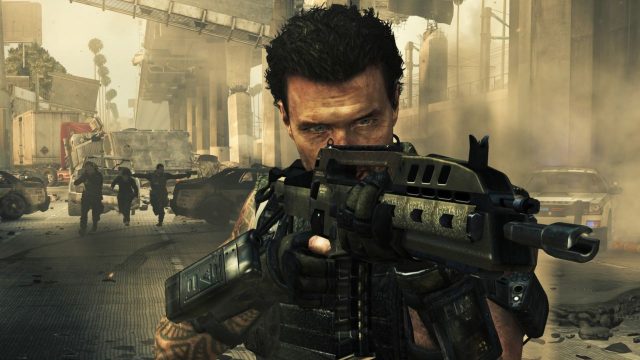
Call of Duty: Black Ops 2 is a celebrated entry in the Call of Duty franchise, renowned for its engaging storyline and multiplayer modes. Released in 2012, it continues to captivate gamers worldwide with its dynamic gameplay and innovative features, including a diverse arsenal and tactical gameplay options. The game is set in a futuristic timeline that intertwines with past events, offering a rich narrative experience alongside intense action.
Platform Availability
Black Ops 2 can be downloaded on various platforms, making it accessible to a wide range of players. The confirmed platforms include:
- PC: Available on Steam and other digital distribution platforms.
- PlayStation: Downloadable from the PlayStation Store.
- Xbox: Accessible via the Xbox Store.
- Nintendo Wii U: Also available for the Nintendo platform.
For updates and online multiplayer access, purchasing through these official channels is highly recommended.
System Requirements
Minimum Requirements
To ensure a smooth gaming experience, your system must meet or exceed the following minimum specifications:
- OS: Windows Vista SP2 or higher
- Processor: 2.4 GHz dual-core processor
- Memory: 2 GB RAM
- Graphics: NVIDIA GeForce 8600 series or ATI 2400 series with 512MB video memory
- DirectX: Version 9.0c
- Hard Drive: 16 GB free disk space
Recommended Requirements
For an optimal experience, consider the recommended settings:
- OS: Windows 7/8/10
- Processor: Dual-core CPU 2.5 GHz
- Memory: 4 GB RAM
- Graphics: NVIDIA GeForce GTX 660 or ATI HD 7950 with 2GB video memory
- DirectX: Version 11
- Hard Drive: 16 GB free disk space
How to Download Black Ops 2
Downloading Black Ops 2 is a straightforward process. Follow these steps for your respective platform:
For PC (Steam)
- Open the Steam client on your PC.
- In the search bar, type “Call of Duty: Black Ops 2” and press Enter.
- Select the game from the search results and click on it.
- Click the “Add to Cart” button, then proceed to checkout.
- Once purchased, the game will be added to your library. Select it and click “Install” to begin the download.
For PlayStation
- On your PlayStation console, navigate to the PlayStation Store.
- Search for “Call of Duty: Black Ops 2.”
- Select the game from the list and choose the purchase option.
- After purchase, you can start the download directly from your library.
For Xbox
- Access the Xbox Store from your console.
- Use the search function to locate “Call of Duty: Black Ops 2.”
- Select the game and follow the prompts to purchase and download.
For Nintendo Wii U
- Open the Nintendo eShop on your Wii U console.
- Search for “Call of Duty: Black Ops 2.”
- Select the title and follow the onscreen instructions to buy and download.
Conclusion
Black Ops 2 remains a beloved title among the gaming community, offering exciting gameplay and competitive multiplayer experiences. Whether you're a new player or revisiting this classic, downloading it through official channels ensures you're receiving a safe and updated version. With its engaging story and diverse gameplay modes, Black Ops 2 continues to be relevant in today’s gaming landscape.
Frequently Asked Questions
What platforms can I play Black Ops 2 on?
You can play Black Ops 2 on PC, PlayStation, Xbox, and Nintendo Wii U.
Is Black Ops 2 still popular among gamers?
Yes, Black Ops 2 maintains a strong player base due to its engaging multiplayer modes and classic gameplay.
Can I download Black Ops 2 on my mobile device?
No, Black Ops 2 is not available on mobile platforms; it is primarily for consoles and PC.
What are the minimum system requirements for Black Ops 2?
The minimum requirements include a dual-core processor, 2 GB RAM, and a graphics card like NVIDIA GeForce 8600.