
Key Takeaways
- Available on Steam, Epic Games Store, and more.
- System requirements vary; check before downloading.
- Download size is approximately 3 GB.
- Experience the latest DLC featuring North Dakota.
- Accessible for audiences in Southeast Asia, including Indonesia.
Overview of American Truck Simulator
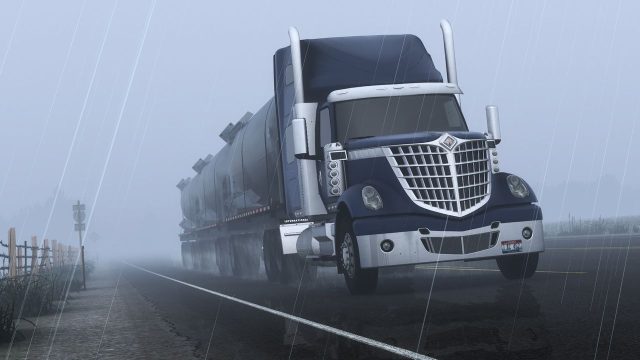
American Truck Simulator (ATS) immerses players in the vast landscapes of the United States as they take on the role of a truck driver. This simulation game captures the essence of long-haul trucking, allowing players to explore intricate highways and scenic routes. With its realistic graphics and engaging gameplay, ATS has become a favorite among simulation enthusiasts. The game constantly evolves, with new states and features introduced through downloadable content (DLC). Recently, the announcement of an expansion featuring North Dakota has generated excitement, making now an excellent time to start or expand your ATS journey.
Platform Availability
American Truck Simulator is widely available across various platforms, ensuring accessibility for all players. You can find the game on:
- Steam
- Epic Games Store
- Official game website directs to legitimate digital platforms.
In addition to Windows, the game is also compatible with macOS and Linux, allowing a broad range of players to enjoy the immersive experience.
System Requirements
Minimum Requirements
- OS: Windows 7 64-bit
- Processor: Dual core CPU 2.4 GHz
- Memory: 4 GB RAM
- Graphics: NVIDIA GeForce GTS 450 or AMD equivalent
- DirectX: Version 11
- Storage: 3 GB available space
Recommended Requirements
- OS: Windows 10 64-bit
- Processor: Dual core CPU 3.0 GHz
- Memory: 6 GB RAM
- Graphics: NVIDIA GeForce GTX 760 or AMD equivalent
- DirectX: Version 11
- Storage: 3 GB available space
Before downloading ATS, ensure your system meets these specifications to guarantee optimal gameplay and performance.
How to Download American Truck Simulator
Downloading American Truck Simulator is simple. Follow these steps to get started:
For Steam
- Visit the Steam store page.
- If you don’t have Steam installed, download and install the Steam client.
- Create a Steam account or log in to your existing account.
- Search for American Truck Simulator in the store or use the provided link.
- Select the game and click on 'Add to Cart'.
- Proceed to checkout and complete your purchase.
- Once purchased, go to your Library, find ATS, and click 'Install'.
For Epic Games Store
- Go to the Epic Games Store.
- Sign in or create an Epic Games account.
- Search for American Truck Simulator using the search bar.
- Click 'Get' to add it to your library.
- Install the Epic Games Launcher if you haven't yet.
- After purchase, go to your library and click 'Install'.
System Installation
After downloading the game, follow the installation instructions that appear on your screen. Generally, you can install it in the default location. Ensure you allow any necessary permissions for the game to run smoothly.
Conclusion
American Truck Simulator provides a captivating experience for fans of simulation games. With its continued updates and expansions like the recent North Dakota DLC, now is the perfect time to engage with this immersive title. By following our download guide, you can easily get started on your trucking adventures. Whether you're navigating the highways of the United States or immersing yourself in the latest content, ATS promises countless hours of enjoyable gameplay. Explore your favorite routes and experience the freedom of the open road today!