
Key Takeaways
- Amazon Luna offers cloud gaming to Prime members.
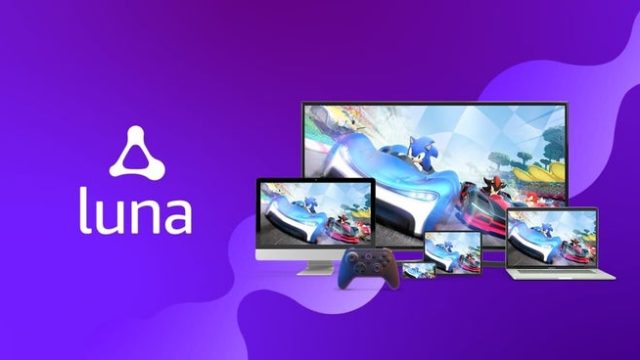
- Available on multiple platforms including Fire TV.
- Access a library of games without dedicated hardware.
- Perfect for casual and competitive gamers alike.
- Focus on seamless gameplay experience and accessibility.
Overview of Amazon Luna
Amazon Luna is revolutionizing how gamers access their favorite titles. Launched to cater to cloud gaming enthusiasts, it allows users to play high-quality games on various devices without the need for powerful consoles or PCs. This service is especially appealing to those in Southeast Asia and the Indonesian market, where gaming accessibility is rapidly growing.
With Luna, gamers can enjoy a diverse library that includes everything from blockbuster hits to indie gems. The platform is designed to be user-friendly, making it simple for subscribers to jump into the action without lengthy downloads or installations.
Platform Availability
Amazon Luna is available on a variety of platforms, providing flexibility for gamers:
- Fire TV: Easily accessible for Prime Video subscribers, allowing seamless integration with existing Amazon services.
- PC and Mac: Play directly from your web browser, ensuring high compatibility across devices.
- iOS and Android: Access Luna's game library via dedicated mobile apps, perfect for gaming on the go.
- Future Expansions: Potential support for other platforms as Amazon continues to develop its gaming ecosystem.
System Requirements
Before diving into Amazon Luna, it's important to ensure your devices meet the necessary requirements for optimal performance:
- Internet Connection: A stable connection with at least 10 Mbps is recommended for a smooth streaming experience.
- Device Compatibility: Ensure your device is compatible with the Luna app – Fire TV, PC, Mac, and mobile devices are all supported.
- Browser Support: Use the latest versions of Chrome, Edge, or Safari for the best performance on PCs and Macs.
- Input Devices: Compatible controllers such as Xbox or PlayStation controllers can enhance gameplay.
How to Download Amazon Luna
Getting started with Amazon Luna is straightforward. Follow these steps to download and access the service:
For Fire TV Users
- Navigate to the Home screen on your Fire TV.
- Search for the Luna app in the Amazon Appstore.
- Select ‘Get’ to download the app.
- Once installed, open the app and sign in with your Amazon account.
- Start exploring the game library and enjoy gaming!
For PC and Mac Users
- Visit the official Amazon Luna website.
- Log in with your Amazon Prime account.
- Access the Luna interface via your web browser.
- Select your desired game and click 'Play' to begin streaming.
For Mobile Users
- Open the Google Play Store or Apple App Store on your device.
- Search for the Amazon Luna app.
- Download and install the app.
- Log in and start gaming from your mobile device.
Conclusion
Amazon Luna is set to change the landscape of gaming with its cloud-based model, making it easier than ever for players in regions like Southeast Asia to access a variety of games. Its compatibility across platforms allows for flexibility, whether you're at home on a Fire TV or on the go with your mobile device. Download Amazon Luna today and dive into a world of gaming possibilities.