
Key Takeaways
- Your past purchases remain available for download.
- Wii, Xbox 360, and other legacy consoles support retrieval.
- Follow official procedures to access your games safely.
- Check for compatibility with your console's current settings.
- Stay updated on digital storefront changes for best results.
Understanding Legacy Console Downloads
In today's fast-paced gaming landscape, understanding how to download games on older consoles is crucial for gamers who wish to revisit their classic titles. Many players have accumulated vast libraries of games over the years, and while some titles may no longer be available for purchase, it’s still possible to access previously bought games. This guide provides all the necessary steps to download your favorite games on consoles such as the Wii, Xbox 360, and others.
Platform Availability
Older consoles like the Wii and Xbox 360 may not have the robust online ecosystems that modern systems enjoy, but they still allow users to access their digital libraries. Here’s a quick look at some of the platforms that support downloading games:
- Wii - Access your game collection via the Wii Shop Channel.
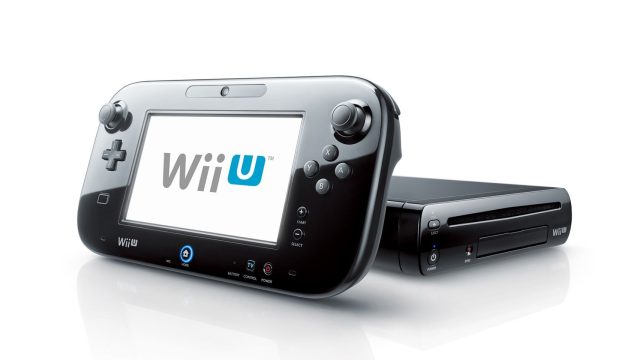
- Wii U - Download titles from the Nintendo eShop directly.
- Nintendo 3DS - Use the Nintendo eShop for downloadable purchases.
- Xbox 360 - Retrieve games through the Xbox Live Marketplace.
- PlayStation 3 - Download past purchases via the PlayStation Store.
System Requirements
While older consoles have minimal system requirements compared to today's standards, ensuring your console is updated is essential for compatibility with downloadable games. Here are the general requirements:
- Internet connection for accessing digital stores.
- Console firmware must be updated to the latest version.
- Available storage space for downloaded games.
How to Download
Downloading games on older consoles can seem daunting, but following these straightforward steps can make the process easier:
Wii & Wii U
- Power on your console and connect to the Internet.
- Navigate to the Wii Shop Channel or Nintendo eShop.
- Log into your account to access your purchases.
- Browse your available titles and select the game you want to download.
- Follow the on-screen prompts to complete the download.
XBox 360
- Start your Xbox 360 and connect to Xbox Live.
- Go to the 'Games Library' from the dashboard.
- Select 'Download History' to view your purchased titles.
- Choose the game you wish to download and follow the prompts.
- Once downloaded, the game will be available in your library.
PlayStation 3
- Turn on your console and ensure it is connected online.
- Visit the PlayStation Store from the main menu.
- Log in to your account to see your purchase history.
- Select any game you want to redownload and proceed with the download.
Conclusion
With the rapidly evolving gaming industry, it's important to know that your cherished games from older consoles are not lost forever. By following the steps outlined in this guide, you can successfully download your previously purchased titles and relive those nostalgic gaming moments. As digital storefronts continue to change, staying informed about where and how to access your games will allow you to enjoy your gaming experience fully. Whether you’re in Southeast Asia, including regions like Jakarta and Surabaya, or elsewhere, these steps will help you retrieve your favorite games and play them on your legacy devices.