
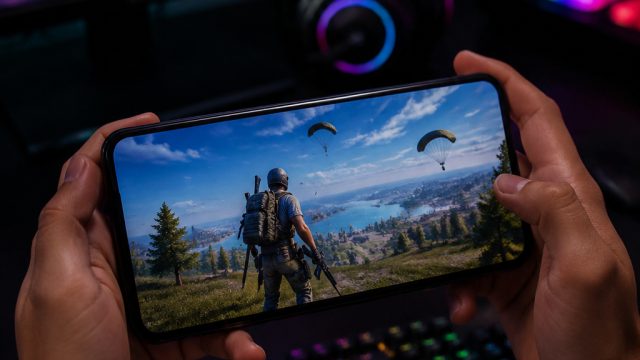
As Free Fire celebrates its 9th anniversary, players are treated to an exciting array of new features, enhancements, and events that are sure to elevate the gaming experience. If you're eager to dive into the latest content, this guide will help you navigate the download process seamlessly, ensuring you're ready to enjoy everything this milestone update has to offer.
Overview of Free Fire
Free Fire is a battle royale game developed by Garena, renowned for its quick-paced gameplay and engaging mechanics. Players are dropped into a vibrant island where they must scavenge for weapons, resources, and gear to outlast opponents. The game's unique character system offers diverse playstyles, allowing you to tailor your gaming experience. The recent updates have introduced a stunning 3D Party Lobby, new gameplay systems, and various events where players can earn free rewards, enhancing the overall experience.
Platform Availability
Free Fire is accessible on multiple platforms, making it easy for players around the world to join the action. The game is primarily designed for mobile devices, available on:
- Android: Download via Google Play Store
- iOS: Available on the Apple App Store
For players who prefer larger screens, Free Fire can also be played on PC using Android emulators like BlueStacks or NoxPlayer, allowing for a more immersive gaming experience.
System Requirements
Before diving into the action, it's essential to ensure your device meets the necessary specifications to run Free Fire smoothly. Here are the minimum and recommended requirements:
For Android:
- Minimum Requirements:
- Operating System: Android 4.0.3 and up
- RAM: 1 GB
- Processor: Dual-core 1.0 GHz
- Recommended Requirements:
- Operating System: Android 4.1 and up
- RAM: 2 GB or more
- Processor: Quad-core 1.5 GHz or higher
For iOS:
- Minimum Requirements:
- Operating System: iOS 9.0 or later
- Compatible Devices: iPhone 6 and later
- Recommended Requirements:
- Operating System: iOS 10.0 or later
- Compatible Devices: iPhone 7 and later
How to Download
Downloading Free Fire is straightforward, whether you're on mobile or using an emulator. Follow these steps to get started:
For Android Users:
- Open the Google Play Store on your device.
- In the search bar, type "Free Fire" and select the game from the search results.
- Tap the Install button and wait for the download to complete.
- Once installed, open the game and log in or create a new account to start playing.
For iOS Users:
- Launch the Apple App Store on your iPhone.
- Search for "Free Fire" in the app store.
- Select the game and tap Get to download the app.
- After installation, tap Open to begin your adventure.
For PC Users:
- Download an Android emulator such as BlueStacks or NoxPlayer from their official websites.
- Install the emulator following the setup instructions.
- Open the emulator and access the Google Play Store from within.
- Search for "Free Fire" and install it as you would on a mobile device.
- Once installed, launch the game and enjoy the experience on a bigger screen.
Conclusion
With its recent updates, Free Fire’s 9th anniversary marks a significant milestone in the gaming community, offering players an enriched experience filled with new content. By following the steps outlined in this guide, you'll be fully equipped to download and engage with the game as the celebrations unfold. Join millions of other players and immerse yourself in the thrilling world of Free Fire today!