
Your Ultimate Guide to Downloading Phasmophobia - Latest Updates
Phasmophobia, the cooperative ghost-hunting game developed by Kinetic Games, has captured the attention of gamers worldwide with its unique blend of horror and teamwork. As anticipation builds for the game's future updates, including the highly awaited 1.0 release, many players are eager to dive into the world of paranormal investigations. In this guide, we will walk you through everything you need to know about downloading Phasmophobia, including platform availability, system requirements, and step-by-step installation instructions.
Overview of Phasmophobia
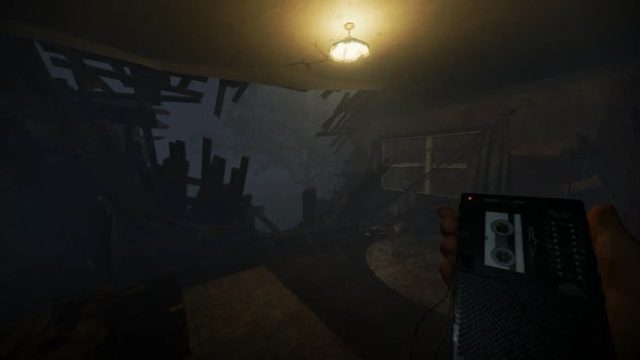
Launched in 2020, Phasmophobia allows players to step into the shoes of ghost hunters tasked with identifying various types of spirits haunting a range of locations. Working together with up to four players, you can use a variety of ghost-hunting equipment to gather evidence and determine the type of ghost you're dealing with. The game's immersive mechanics and chilling atmosphere keep players on their toes, making each session a thrilling experience.
Platform Availability
Phasmophobia can be enjoyed on multiple platforms, making it accessible to a wide audience. Currently, the game is available on:
- PC (Steam): The primary platform for playing Phasmophobia is Steam. Players can easily purchase and download the game through this digital distribution service.
- VR Platforms: Phasmophobia supports various virtual reality headsets, enhancing the level of immersion and fear for users who prefer a more intense experience.
- Future Consoles: As of now, there is no confirmed release date for console versions, but players should stay tuned for updates from Kinetic Games regarding potential future platforms.
System Requirements
Before you download Phasmophobia, it's essential to ensure your system meets the minimum requirements. Below are the specifications needed to run the game smoothly:
Minimum Requirements
- OS: Windows 10 (64-bit)
- Processor: Intel Core i5 or AMD equivalent
- Memory: 8 GB RAM
- Graphics: NVIDIA GTX 970 or AMD Radeon R9 290
- DirectX: Version 11
- Storage: 20 GB available space
Recommended Requirements
- OS: Windows 10 (64-bit)
- Processor: Intel i7 or AMD equivalent
- Memory: 16 GB RAM
- Graphics: NVIDIA GTX 1070 or AMD Radeon RX 580
- DirectX: Version 11
- Storage: 20 GB available space
How to Download
Getting started with Phasmophobia is a straightforward process. Follow these simple steps to download and install the game:
Step 1: Create a Steam Account
If you don't already have a Steam account, visit the official Steam website and click on the 'Join Steam' button. Follow the instructions to set up your account, which is free of charge.
Step 2: Download the Steam Client
Once your account is created, download the Steam client. This software is essential for purchasing and managing your games. You can find the download link on the Steam website.
Step 3: Purchase Phasmophobia
After installing the Steam client, log in to your account. Use the search bar to find Phasmophobia. Navigate to the game's page and select 'Add to Cart' to purchase it. You can complete your transaction using various payment methods available on Steam.
Step 4: Install the Game
Once your purchase is complete, you can find Phasmophobia in your library. Click on the game's icon and then press 'Install.' The game will begin downloading, and you can track its progress in the library section. Ensure you have enough storage space on your PC.
Step 5: Launch and Play
After installation, the 'Play' button will become active. Click it to launch Phasmophobia and immerse yourself in the chilling world of ghost hunting. Don't forget to adjust your settings for an optimal gaming experience!
Final Thoughts
With its captivating gameplay and ongoing updates, Phasmophobia represents an exciting opportunity for gamers looking for cooperative experiences with a twist of horror. As the gaming community eagerly anticipates future developments and enhancements, now is the perfect time to join in on the ghost-hunting fun. Follow our guide to download Phasmophobia and prepare for your next thrilling investigation!
Keep Updated
For the latest news and updates on Phasmophobia, be sure to check back on Kinetic Games' official channels and keep an eye on your Steam notifications. Engaging with the community can also enhance your experience as you share strategies and stories with fellow ghost hunters!