
Overview
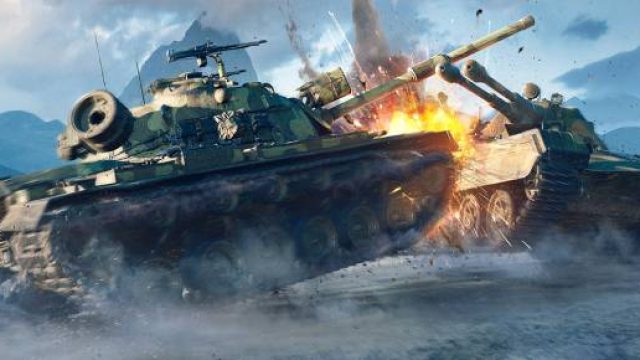
World of Tanks is a free-to-play multiplayer online game developed by Wargaming. Launched in 2010, the game has gained immense popularity, especially in Southeast Asia, including markets like Indonesia and the Philippines. Players engage in tactical battles using various tanks, each with unique features and abilities, providing a thrilling experience. The game continually evolves, with regular updates and events, making it a staple in the esports scene.
Key Takeaways
- World of Tanks is celebrating over 16 years of thrilling gameplay.
- Available on multiple platforms: PC, PlayStation, and Xbox.
- The game offers regular updates and events, enhancing player experience.
- Join millions of players in strategic tank battles today.
- Access various tank types from around the world in combat scenarios.
Platform Availability
World of Tanks is available on several platforms, ensuring accessibility for all players. You can enjoy the game on:
- Windows PC: Download via the official website.
- Steam: Available on the Steam platform.
- PlayStation: Find it on the PlayStation Store.
- Xbox: Get it from the Xbox Store.
System Requirements
Before downloading, ensure your system meets the minimum requirements for optimal gameplay:
Minimum Requirements:
- OS: Windows 7 or higher
- Processor: Intel Core 2 Duo or AMD Athlon 64 X2
- RAM: 4 GB
- Graphics: NVIDIA GeForce 8600 / ATI Radeon HD 4650
- DirectX: Version 9.0c
- Network: Broadband Internet connection
- Storage: 45 GB available space
Recommended Requirements:
- OS: Windows 10
- Processor: Intel Core i5 or AMD equivalent
- RAM: 8 GB
- Graphics: NVIDIA GeForce 960 / AMD Radeon HD 7970
- DirectX: Version 11
- Network: Broadband Internet connection
- Storage: 45 GB available space
How to Download
Downloading World of Tanks is straightforward. Follow these steps to get started:
- Visit the official World of Tanks website or your preferred platform (Steam, PlayStation Store, Xbox Store).
- Create an account if you don’t have one, or log in if you're already a member.
- If downloading from the website, click the download button to get the installer.
- Once the installer is downloaded, run it and follow the on-screen instructions.
- After installation, launch the game and let it update to the latest version.
- Log in, and you’re ready to battle!
Conclusion
World of Tanks offers an engaging multiplayer experience that has captivated millions of players around the world. With its strategic gameplay and regular updates, it continues to be a leader in online tank battles. Whether you're a veteran player or a newcomer, downloading and diving into the action is easy. Don't miss out on the chance to join this vibrant community and partake in thrilling tank warfare.