
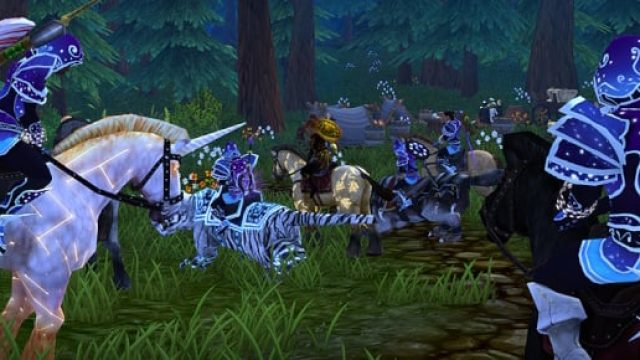
Are you ready to immerse yourself in the enchanting world of Villagers & Heroes? With exciting new updates and features, including the latest season of raids, there’s never been a better time to join thousands of players in this captivating multiplayer experience. Whether you're a seasoned hero or a newcomer, our comprehensive guide will walk you through everything you need to know about downloading this game and getting started on your adventure.
Overview of Villagers & Heroes
Villagers & Heroes offers a unique blend of community building and action-packed gameplay. As you build your village, you'll engage in quests and face challenging enemies, all while forming alliances with other players. The game continuously evolves, introducing new content that keeps the experience fresh and exciting. With the recent Talon’s Grip update, players can look forward to a host of new rewards, including an array of griffins for companionship and decoration, enhancing both gameplay and aesthetic appeal.
Platform Availability
Currently, Villagers & Heroes is available on multiple platforms to cater to a wide audience:
- PC: Download via the official website or through Steam.
- Mac: Available through the official website or on Steam.
- Mobile: Play on the go via Google Play for Android or Apple App Store for iOS devices.
System Requirements
Before you embark on this thrilling journey, it’s crucial to ensure your device meets the necessary specifications. Here’s what you’ll need to enjoy Villagers & Heroes:
PC Requirements
- OS: Windows 7 or higher
- Processor: Intel Core i3 or equivalent
- Memory: 4 GB RAM
- Graphics: NVIDIA GeForce GTX 660 or equivalent
- Storage: 5 GB of available space
Mac Requirements
- OS: macOS Sierra or later
- Processor: Intel Core i3 or better
- Memory: 4 GB RAM
- Graphics: Mac compatible GPU with 1GB VRAM
- Storage: 5 GB of available space
Mobile Requirements
- Android: Android 4.0 and up
- iOS: iOS 10.0 or later
How to Download
Downloading Villagers & Heroes is a straightforward process. Follow these steps to get started:
For PC/Mac Users
- Visit the official Villagers & Heroes website.
- Choose the appropriate version for your operating system (Windows or Mac).
- Click on the download button and wait for the installer to download.
- Once downloaded, open the installer and follow the on-screen instructions to complete the installation.
- After installation, launch the game and create your account to start your adventure.
For Mobile Users
- Open the Google Play Store or Apple App Store on your mobile device.
- Search for “Villagers & Heroes” in the search bar.
- Tap the download button to install the game on your device.
- Once installed, open the game, and register to start enjoying your adventure.
Conclusion
Ready to join the ranks of heroes in Villagers & Heroes? With new updates enhancing gameplay and aesthetic appeal, the time to download is now. Whether you choose to play on PC, Mac, or mobile, the adventure awaits. Don’t miss out on the excitement—download today and explore the vibrant world of Villagers & Heroes!