
Key Takeaways
- World of Warcraft is available on PC and Mac via Battle.net.
- Check system requirements before downloading for optimal performance.
- Participate in the vibrant WoW community across Southeast Asia.
- The game offers various expansions and updates for enhanced gameplay.
- Follow the official download steps to begin your adventure.
Overview of World of Warcraft
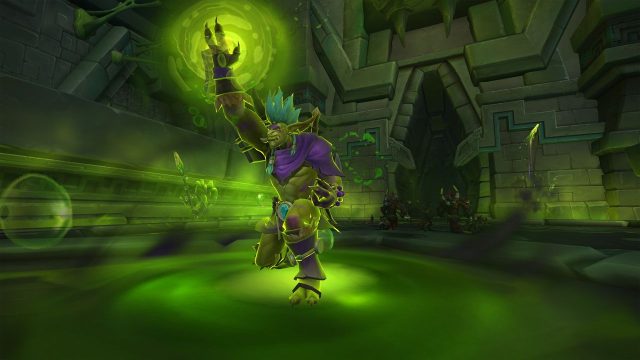
World of Warcraft (WoW) has remained a cornerstone in the MMORPG genre since its launch in 2004. With millions of players worldwide, WoW offers an expansive universe filled with quests, dungeons, and a rich narrative that captivates both new and seasoned gamers. The game's evolving nature, bolstered by regular expansions and updates, ensures that there's always something new to explore.
The game emphasizes cooperative and competitive gameplay, making it ideal for players looking to engage with friends or join a guild. The recent adjustments made to the game's hardest dungeons and raids reflect a shift towards inclusivity, encouraging players to try different roles, such as tanking or healing. This change enhances the accessibility of the game, making it a great time for new players to join.
Platform Availability
World of Warcraft is primarily available on:
- PC: Download via Blizzard's Battle.net platform.
- Mac: Also accessible through Battle.net, ensuring compatibility with Mac systems.
While console versions are not currently available, the game’s rich graphics and expansive world are best experienced on PC or Mac.
System Requirements
Before downloading World of Warcraft, ensure your system meets the following minimum requirements:
Windows
- Operating System: Windows 7 (64-bit) or newer
- Processor: Intel Core i5-3450 / AMD FX 8300
- Memory: 4 GB RAM (8 GB if using integrated graphics)
- Graphics: NVIDIA GeForce GTX 760 / AMD Radeon RX 560 / Intel UHD 630 (45W)
- Storage: Solid State Drive (SSD) with 100 GB available space
Mac
- Operating System: macOS 10.12 (Sierra) or newer
- Processor: Intel Core i5
- Memory: 4 GB RAM
- Graphics: NVIDIA GeForce GTX 775M / AMD Radeon R9 M290
- Storage: Solid State Drive (SSD) with 100 GB available space
Check your system specifications to ensure compatibility for a smooth gaming experience.
How to Download World of Warcraft
Ready to embark on your WoW journey? Follow these simple steps to download the game:
- Visit the Official Website: Go to the World of Warcraft website or directly to the Battle.net page.
- Create a Blizzard Account: If you don’t already have one, sign up for a free account.
- Download Battle.net: Install the Battle.net desktop app, which is required to manage your games.
- Log in to Battle.net: Use your Blizzard account credentials to log in.
- Find World of Warcraft: Locate WoW in the game library and select the "Install" button.
- Start Playing: Once installed, you can launch the game directly from Battle.net.
For the latest updates, always check the official WoW website or Battle.net app. Enjoy the immersive experience and become part of a vibrant global community!
Conclusion
World of Warcraft continues to be a monumental force in the gaming world, adapting to the needs of its community while providing an expansive universe for exploration and adventure. By following this guide, you’ll be well-equipped to enter Azeroth and start your epic journey. Whether you're in Jakarta, Bali, or anywhere in Southeast Asia, WoW invites you to join its legacy.