
Key Takeaways
- GTA 5 mods enhance gameplay with new features.
- Available on PC through platforms like Steam and Epic Games.
- System requirements vary by mod; check specifics.
- Follow detailed installation steps for optimal performance.
- Engage with the vibrant modding community for support and updates.
Overview
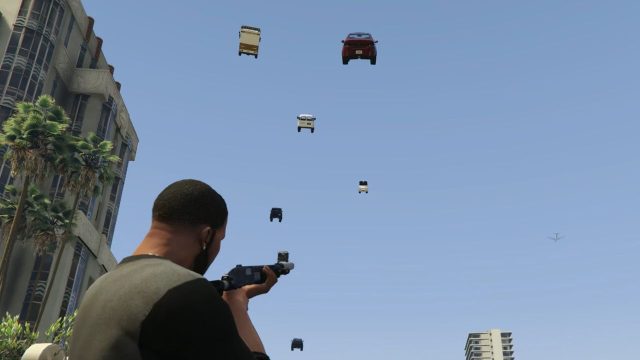
Grand Theft Auto V (GTA 5) has captured the hearts of gamers worldwide, known for its expansive open world and engaging narrative. One of the primary draws of the game is its modding community, which constantly creates fresh content that enhances and alters the gameplay experience. Whether you're looking for new missions, graphics enhancements, or entirely new gameplay mechanics, mods can breathe new life into this iconic game.
The ability to modify your gaming experience is significant now, especially as more players seek unique ways to engage with GTA 5. With advancements in technology and increased interest in esports, mods are a gateway to thrilling new adventures, customization options, and challenges.
Platform Availability
GTA 5 mods are predominantly available for PC players. Key platforms include:
- Steam: One of the largest digital distribution platforms for PC games.
- Epic Games Store: Another major platform offering GTA 5 and its mods.
- Rockstar Games Launcher: Official launcher with access to the game and related content.
It is important to note that modding is primarily limited to the PC version of GTA 5, as console versions do not support mods due to their closed ecosystems.
System Requirements
Before diving into modding, ensure your PC meets the necessary system requirements for GTA 5. Here’s a quick breakdown:
- Minimum Requirements:
- OS: Windows 7 SP1, Windows 8.1, or Windows 10
- Processor: Intel Core 2 Quad CPU Q6600 or AMD Phenom 9850
- Memory: 4 GB RAM
- Graphics: NVIDIA 8800 series or ATI 3800 with 512 MB video memory
- Recommended Requirements:
- OS: Windows 10
- Processor: Intel Core i5 3470 or AMD X8 FX-8350
- Memory: 8 GB RAM
- Graphics: NVIDIA GTX 660 2GB or AMD HD 7870 2GB
Keep in mind that some mods may have their specific requirements, so always check the details provided by the mod creator to ensure compatibility.
How to Download
Follow these steps to download GTA 5 mods effectively:
Step 1: Choose a Reliable Modding Website
Visit popular modding sites like GTA5-Mods or Nexus Mods. These platforms host a wide range of user-created content.
Step 2: Create an Account
Some modding sites require you to create an account to download mods. This process is usually straightforward and involves providing basic information.
Step 3: Find Your Desired Mod
Use the search function to find specific mods or browse categories. Pay attention to the mod’s ratings, comments, and installation instructions.
Step 4: Download the Mod
Once you locate a mod you want, click on the download button. Ensure you download the latest version compatible with your game.
Step 5: Install the Mod
Follow the installation instructions provided on the mod’s page. Typically, this involves extracting files and placing them in the correct directories within your GTA 5 installation folder. Tools like OpenIV may be required for some mods.
Frequently Asked Questions
What are GTA 5 mods?
GTA 5 mods are user-generated modifications that change or add content to the game, enhancing gameplay and graphics.
Can I use mods on GTA 5 Online?
Using mods in GTA 5 Online can lead to bans. It's recommended to use mods only in single-player mode.
Are all mods free to download?
Yes, most mods available on reputable websites are free, but some may offer premium versions with additional features.
How do I uninstall a mod?
To uninstall a mod, simply remove the files from the GTA 5 directory as instructed on the mod’s page.
Where can I find community support for mods?
Community forums on modding websites and platforms like Reddit or Discord often have users willing to help with mod-related queries.