
Key Takeaways
- The Witcher 3 offers deep, emotional quests.
- Available on PC, consoles, and handheld devices.
- Ensure your system meets minimum requirements.
- Download from official platforms like Steam and GOG.
- Follow these steps for a smooth installation process.
Overview of The Witcher 3
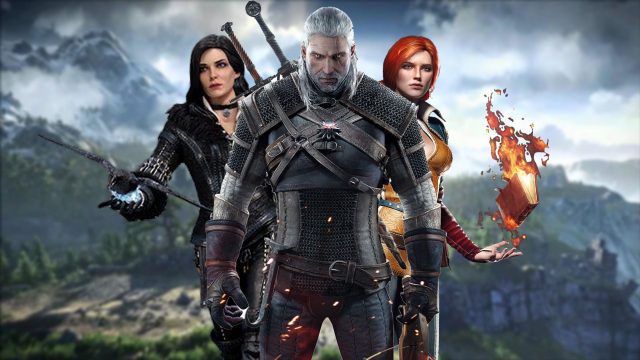
The Witcher 3: Wild Hunt is a critically acclaimed open-world RPG developed by CD Projekt Red. Released in May 2015, it has captivated players worldwide with its rich narrative, complex characters, and immersive gameplay. Set in a stunning fantasy universe, players take on the role of Geralt of Rivia, a monster hunter navigating a world filled with political intrigue and moral ambiguity. The game’s emotional storytelling often resonates deeper than many standalone titles, making it a must-play for RPG fans.
Platform Availability
The Witcher 3 is available on various platforms, including:
- PC: Available on Steam and GOG.
- PlayStation: Downloadable from the PlayStation Store.
- Xbox: Available on the Xbox Store.
- Nintendo Switch: Download from the Nintendo eShop.
- Mobile: Currently not available for mobile devices.
System Requirements
Before downloading The Witcher 3, ensure your system meets the minimum requirements:
For PC
- OS: Windows 7 or higher (64-bit)
- Processor: Intel Core i5-2500K or AMD Phenom II X4 940
- Memory: 6 GB RAM
- Graphics: NVIDIA GeForce GTX 660 or AMD Radeon HD 7870
- DirectX: Version 11
- Storage: 35 GB of free space
For PlayStation and Xbox
- Storage: At least 35 GB of free space
- Internet: Required for digital downloads and updates
How to Download
For PC Users
If you're playing on PC, you can download The Witcher 3 from either Steam or GOG. Here’s how:
- Visit Steam or GOG.
- Create an account or log in if you already have one.
- Search for 'The Witcher 3: Wild Hunt' in the store.
- Add the game to your cart and proceed to checkout.
- Follow the prompts to complete your purchase and start the download.
For Console Users
Downloading The Witcher 3 on consoles is straightforward:
PlayStation 4/5
- Open the PlayStation Store.
- Search for 'The Witcher 3: Wild Hunt.'
- Add it to your cart and complete the purchase.
- Once purchased, the game will automatically start downloading.
Xbox One/Series X|S
- Open the Xbox Store.
- Search for 'The Witcher 3: Wild Hunt.'
- Purchase the game, and it will begin downloading to your console.
Nintendo Switch
- Access the Nintendo eShop.
- Search for 'The Witcher 3: Wild Hunt.'
- Select the game and complete your purchase to start downloading.
Conclusion
Downloading The Witcher 3: Wild Hunt is a simple process whether you’re playing on PC or console. With its riveting story and richly built world, this game continues to set the standard for RPGs. By following the steps outlined in this guide, you'll be well on your way to embarking on an unforgettable adventure. Engage with its intricate narratives and emotional depth today by downloading it from your preferred platform!