
Key Takeaways
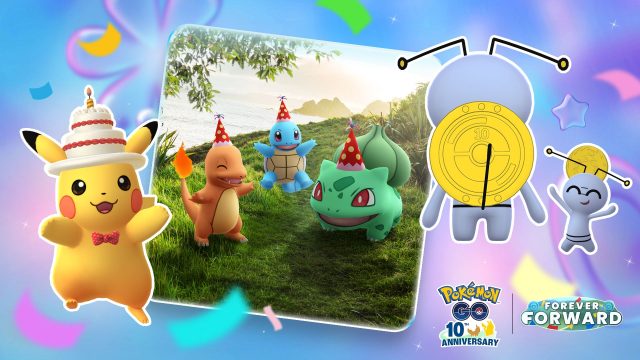
- Pokémon Go celebrates its 10th anniversary with special in-game events.
- Available on both Android and iOS platforms.
- Access unique costumed Pokémon during the event.
- Ensure your device meets the minimum system requirements.
- Step-by-step installation guide included for ease of access.
Overview of Pokémon Go
Pokémon Go has captivated millions of players worldwide since its launch in July 2016. As it marks a decade of immersive gameplay, players can expect a series of exciting events to celebrate this significant anniversary. These celebrations include special in-game features, unique costumed Pokémon like Gimmighoul, and time-sensitive research tasks. This guide will focus on how to download the game and make the most of its 10th-anniversary festivities.
Platform Availability
Pokémon Go is available on both major mobile platforms, making it accessible to a wide audience:
- Android: Available for download on the Google Play Store.
- iOS: Download through the Apple App Store.
In Southeast Asia, including countries like Indonesia, the game enjoys immense popularity. Players in cities like Jakarta, Surabaya, and Bali are actively participating in community events and engaging in the latest updates.
System Requirements
Before you embark on your Pokémon adventure, ensure your device meets the required specifications. Here are the minimum and recommended system requirements for running Pokémon Go:
Minimum Requirements:
- Android: Android 6.0 (Marshmallow) or later, with at least 2 GB of RAM.
- iOS: iOS 12 or later.
- At least 1.2 GB of available storage space.
Recommended Requirements:
- Android: Android 8.0 (Oreo) or later, 4 GB of RAM or higher.
- iOS: iPhone 7 or newer for optimal performance.
Ensuring your device meets these criteria will enhance your gaming experience, especially during high-traffic events like the anniversary celebration.
How to Download Pokémon Go
Getting started with Pokémon Go is a straightforward process. Follow these simple steps to download and install the game on your device:
For Android Users:
- Open the Google Play Store on your Android device.
- In the search bar, type “Pokémon Go” and select the game from the search results.
- Tap the “Install” button and wait for the download to complete.
- Once installed, open the app, create an account, and start your adventure!
For iOS Users:
- Launch the Apple App Store on your iPhone or iPad.
- Search for “Pokémon Go” in the search field.
- Select the game and tap the “Get” button to initiate the download.
- Once installation is complete, open the app, register, and enjoy!
After downloading, make sure to check for updates regularly to stay informed about new features and events. This is crucial, especially during significant occasions like the 10th-anniversary festivities.
Conclusion
Pokémon Go's 10th Anniversary is an exciting time for players both new and old. With unique in-game events and special Pokémon, it’s a perfect opportunity to dive into the world of Pokémon. By following this guide, you can easily download and install the game, ensuring you don't miss out on any of the celebrations. Whether you're in Indonesia or elsewhere, now is the time to join the adventure!