
Key Takeaways
- Trove is a popular MMORPG known for its blocky sandbox design.
- Available on PC, PS4, Xbox One, and Nintendo Switch.
- Free-to-play model allows easy access for new players.
- System requirements vary by platform; ensure your device meets them.
- Download via official platforms like Steam or console stores.
Overview of Trove
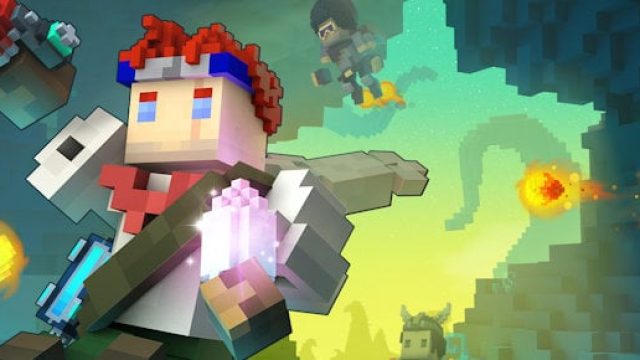
Trove is an innovative MMORPG that combines elements of sandbox creativity and adventure. Players can explore a vast world filled with unique biomes, battle monsters, and build their own structures. The game encourages creativity, making it a favorite among players who enjoy both crafting and combat. With its recent updates, Trove continues to evolve, offering fresh content that keeps both new and returning players engaged.
Platform Availability
Trove is accessible across multiple platforms, allowing players to join the adventure on their preferred devices. Here’s where you can find the game:
- PC: Available on Steam.
- PlayStation: Download from the PlayStation Store for PS4.
- Xbox: Available on the Xbox Store.
- Nintendo Switch: Find it on the Nintendo eShop.
System Requirements
Before downloading Trove, ensure your device meets the necessary system requirements. Here’s a breakdown by platform:
PC Requirements
- Minimum: Windows 7 or later, Dual-core CPU 2.0 GHz, 4 GB RAM, NVIDIA GeForce 660 or equivalent.
- Recommended: Windows 10, Quad-core CPU 3.0 GHz, 8 GB RAM, NVIDIA GeForce 760 or equivalent.
Console Requirements
Console players need the latest firmware updates installed for optimal performance. There are no specific hardware requirements beyond those set by the PlayStation and Xbox systems.
How to Download Trove
Getting started with Trove is straightforward. Follow the steps below according to your chosen platform:
For PC via Steam
- Open the Steam client on your computer.
- Sign in to your Steam account or create a new one.
- Use the search bar to find “Trove.”
- Click on the “Play Game” button to begin the download.
For PlayStation 4
- Turn on your PS4 and navigate to the PlayStation Store.
- Search for “Trove” using the search function.
- Select the game and choose “Download.”
For Xbox One
- Power up your Xbox One and access the Xbox Store.
- Enter “Trove” in the search bar.
- Select the game and hit “Get it Free” to download.
For Nintendo Switch
- Open the Nintendo eShop from your console.
- Search for “Trove” using the eShop’s search feature.
- Follow the prompts to download the game.
Conclusion
With its unique blend of adventure, creativity, and combat, Trove offers players endless opportunities to explore and build. The game’s free-to-play model makes it accessible for everyone, whether you're an experienced gamer or new to the genre. Ensure your device meets the system requirements, and follow the download instructions to jump into the vibrant world of Trove. Now is the perfect time to start your adventure!