
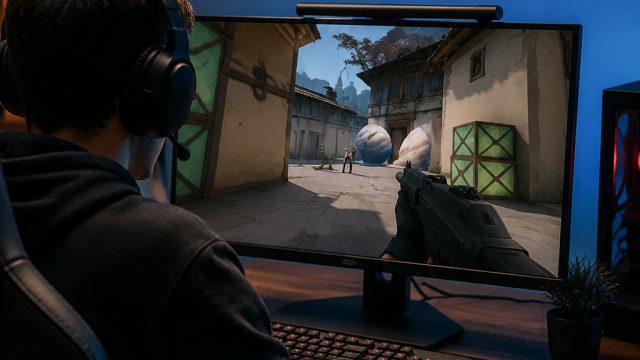
Are you ready to immerse yourself in the action-packed world of Valorant? As one of the leading online multiplayer tactical shooters, Valorant has taken the gaming community by storm. If you haven't downloaded it yet, now is the perfect time to join millions of players worldwide. This guide will walk you through everything you need to get Valorant up and running on your system.
Overview of Valorant
Valorant combines elements of traditional first-person shooters with unique character abilities, making it distinct from its competitors. Developed by Riot Games, Valorant emphasizes teamwork, strategy, and skill. Players select agents, each with unique abilities, which can dramatically influence gameplay. The competitive scene is thriving, with frequent tournaments and updates keeping the game fresh and engaging.
Platform Availability
Valorant is currently available exclusively on PC. It can be downloaded directly from the official Riot Games website or via game distribution platforms. Unfortunately, there is no console version at this time, but the developers have hinted at potential expansions in the future.
Where to Download Valorant
You can download Valorant using the following official method:
- Riot Games Website - The primary source for downloading the game. Simply visit the site, create an account or log in, and follow the prompts to get started.
System Requirements
Before downloading Valorant, ensure your PC meets the minimum or recommended system requirements to enjoy a smooth gaming experience.
Minimum System Requirements
- Operating System: Windows 7/8/10 (64-bit)
- Processor: Intel Core 2 Duo E8400
- Memory: 4 GB RAM
- Graphics: Intel HD 3000
- DirectX: Version 11
- Network: Broadband Internet connection
- Storage: At least 7 GB of available space
Recommended System Requirements
- Operating System: Windows 7/8/10 (64-bit)
- Processor: Intel i3-4150
- Memory: 8 GB RAM
- Graphics: Geforce GT 730
- DirectX: Version 11
- Network: Broadband Internet connection
- Storage: At least 7 GB of available space
How to Download Valorant
Follow these simple steps to download and install Valorant on your PC:
- Visit the Official Website: Go to the Valorant official site.
- Create an Account or Log In: If you're new to Riot Games, you will need to create an account. Existing players can simply log in.
- Select Download: Look for the download button prominently displayed on the homepage.
- Install the Riot Client: Once the download is complete, run the installer. The Riot Client will take care of the rest, downloading all necessary game files.
- Launch Valorant: After installation, you can launch the game directly from the Riot Client.
- Stay Updated: Keep your game client updated to enjoy new features, skins, and patches. Regular updates are key in a competitive environment.
Conclusion
Valorant offers an exhilarating gaming experience that emphasizes strategy, teamwork, and skill. With its rising popularity, now is the ideal time to download and join the community. Follow the steps outlined in this guide to get Valorant up and running on your PC today. Don't just play; compete, and enjoy the thrilling world of online esports!