
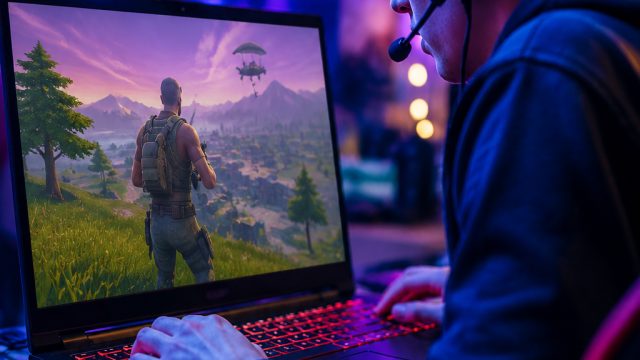
Your Ultimate Guide to Downloading Fortnite
Fortnite remains one of the most popular online multiplayer games, captivating millions of players around the globe. As the game evolves with new seasons, events, and modes, understanding how to download Fortnite effectively is essential for both new and returning players. This guide provides a comprehensive overview of Fortnite, details its platform availability, outlines system requirements, and offers step-by-step installation instructions to ensure a smooth gaming experience.
Overview of Fortnite
Launched in 2017 by Epic Games, Fortnite has transformed the gaming landscape with its unique combination of building mechanics and battle royale gameplay. Players compete against each other in a vibrant, ever-changing environment, complete with seasonal updates that introduce new content, challenges, and collaborations. The game is renowned for its dynamic gameplay and frequent updates, making it a must-play for anyone interested in competitive gaming.
Why Download Fortnite Now?
The gaming community is buzzing with the latest updates and events in Fortnite, making it an excellent time to dive into the action. With each new season, players are treated to fresh content, including themed skins, limited-time modes, and changes to the game map. Whether you are a seasoned player or new to the game, understanding how to download Fortnite will enhance your gaming experience.
Platform Availability
Fortnite is accessible on a variety of platforms, ensuring that players can join the fun no matter their preferred gaming setup. Here’s where you can find Fortnite:
- PC: Available via the Epic Games Store.
- Mac: Downloadable through the Epic Games Store.
- PlayStation: PlayStation 4 and PlayStation 5 users can get Fortnite from the PlayStation Store.
- Xbox: Available on Xbox One and Xbox Series X|S through the Xbox Store.
- Nintendo Switch: Find it on the Nintendo eShop.
- Mobile: Downloadable on iOS devices through the Apple App Store and on Android from the Epic Games website.
System Requirements
Before downloading Fortnite, it’s important to ensure your device meets the minimum system requirements for optimal performance. Below are the requirements for PC and Mac:
PC Requirements
- Minimum:
- OS: Windows 7/8/10 64-bit
- Processor: Core i3 2.4 GHz
- Memory: 4 GB RAM
- Graphics: Intel HD 4000
- DirectX: Version 11
- Network: Broadband Internet connection
- Storage: At least 15 GB of free space
- Recommended:
- OS: Windows 10 64-bit
- Processor: Core i5 2.8 GHz
- Memory: 8 GB RAM
- Graphics: Nvidia GTX 660 or AMD Radeon HD 7870
- DirectX: Version 11
- Network: Broadband Internet connection
- Storage: At least 15 GB of free space
Mac Requirements
- Minimum:
- OS: macOS Sierra (10.12) or later
- Processor: Intel Core i5
- Memory: 4 GB RAM
- Graphics: Intel Iris or better
- Storage: At least 15 GB of free space
How to Download Fortnite
Downloading Fortnite is a straightforward process, whether you’re on PC, console, or mobile. Follow the steps below based on your platform of choice:
For PC and Mac
- Visit the Epic Games Store website.
- If you don't have an Epic Games account, click on “Sign Up” to create one.
- Once signed in, click on the “Get” button to start the download.
- Run the installer and follow the on-screen instructions.
- After installation, launch the game and enjoy!
For PlayStation
- Open the PlayStation Store on your console.
- Search for "Fortnite" in the store.
- Select the game and click “Download.”
- Once the download is complete, you can start the game from your library.
For Xbox
- Access the Xbox Store.
- Search for “Fortnite.”
- Choose the game and click “Install.”
- After installation is done, launch it from the home screen.
For Nintendo Switch
- Go to the Nintendo eShop.
- Enter “Fortnite” in the search bar.
- Select it and click “Download.”
- The game will be available in your library once the download is complete.
For Mobile (iOS and Android)
- For iOS, visit the Apple App Store and search for Fortnite.
- For Android, go to the Epic Games website to download the installer.
- Follow the prompts to complete the download.
Conclusion
Downloading Fortnite is your first step towards joining millions of players in an exhilarating gaming experience filled with creativity and competition. With this guide, you should have all the information you need to download and install Fortnite on your preferred platform. Don’t miss out on the latest updates and seasonal events—download Fortnite today and dive into the action!